
Custom-shaped LED sculpture · engineering and integration
Wisdom Tree LED Display
A Wisdom Tree LED Display is a custom media sculpture that brings a tree form into an architectural space. Unlike a flat billboard, its trunk, branch junctions and canopy may each have different viewing angles, pixel surfaces and service needs. The design starts with the venue, sightlines and content story, then resolves the structure and LED zones around them.
Send Drawing & Dimensions →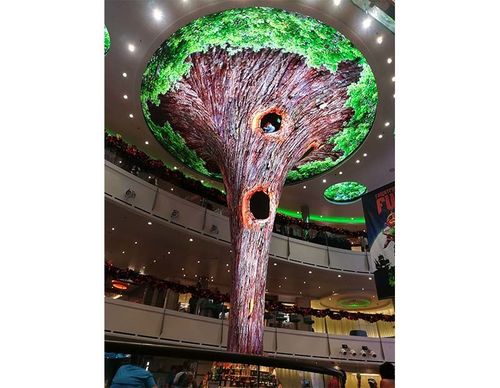
Definition
Plan the tree form, active pixels and audience experience together
A tree-shaped display works best when the digital surface reads as one intentional sculpture from the main approach while still making sense from side and upper-level viewpoints. Decide early whether the trunk, branches, canopy, or only selected faces are active LED areas. This choice sets the visual language, pixel map, cable routes and maintenance access.
For a branching LED form without a tree canopy, see Tree Horn LED Display. A tree installation needs a canopy silhouette and trunk-to-branch transitions to be resolved as one composition.
Engineering
Engineering the Geometry of Wisdom Tree LED Display
Overall tree height
Set the finished height against ceiling services, sprinkler clearances, upper-floor sightlines and the planned installation route. Separate the visible sculpture height from any concealed support or lifting points on the drawing.
Canopy diameter
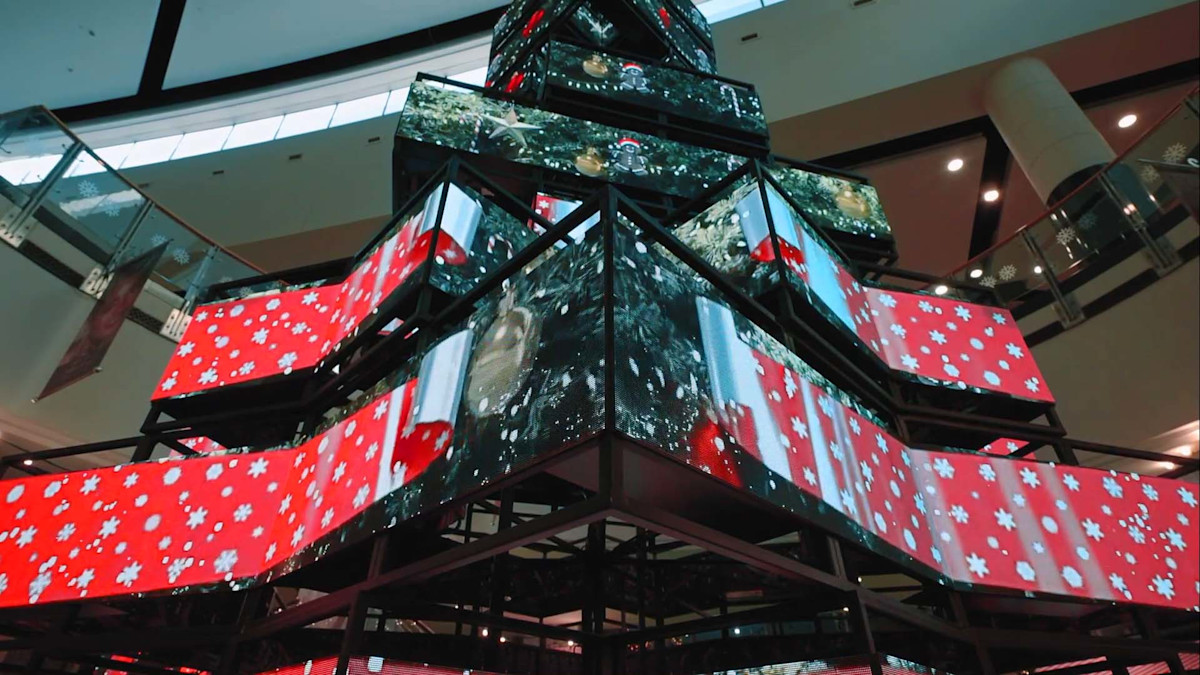
Define canopy width, depth and silhouette at each elevation. A plan view and at least two elevations help reveal whether the canopy reads as a tree from every important approach and show where LED faces stop at edges or branch gaps.
Trunk diameter/profile
Specify the trunk as a measured profile, including any taper, facets or curved transitions. This determines how LED modules or custom surfaces wrap, where seams fall and how technicians can reach the internal frame.
Branch node count
Number each branch junction on the fabrication drawing. A branch schedule makes the structure, module segmentation, cable identification and content map refer to the same physical points during assembly and commissioning.
Active LED zones
Mark each active face and identify non-display surfaces, seams, cut-outs and decorative covers. The processor canvas should represent only real pixels and match the approved physical map.
Base anchoring footprint
Reserve an access route to the power, receiving and service components. Confirm whether access is through the trunk, base or removable canopy sections before decorative cladding closes the structure.
Specification
Project information to confirm before quotation and fabrication
| Shape-specific engineering parameter | Value | Engineering use |
|---|---|---|
| Finished overall height | Project-defined / confirm by drawing | Check ceiling clearance, viewing elevations and delivery or lifting route; distinguish the visible tree from concealed support. |
| Canopy width, depth and profile | Project-defined / confirm by drawing | Use plan and elevation views to define the silhouette, branch spacing, active faces and intended audience viewpoints. |
| Trunk cross-section and taper | Project-defined / confirm by drawing | Show profile changes, module or panel seams, cable path, internal frame and removable service covers. |
| Branch junction and arm schedule | Project-defined / confirm by drawing | Assign a reference to each junction so structural parts, LED zones and controller outputs can be traced consistently. |
| Active pixel zones and inactive areas | Project-defined / confirm by drawing | Define actual display faces, resolution/pixel pitch, seams and processor mapping only after the geometry is approved. |
| Base, anchoring and service envelope | Project-defined / confirm by drawing | Coordinate the base footprint, host-floor interface, cable entry, access panels and installation sequence with the venue team. |
This is an RFQ checklist, not a published Highcolor specification. Confirm dimensions, pixel pitch, brightness, protection rating, refresh, power and control configuration against the project environment and approved quotation.
Pixel map and content
Map content to the real trunk, branches and canopy
A tree sculpture rarely behaves like a single rectangular canvas. The content team needs the active surface map, module orientation, seams and inactive gaps before artwork is composed. Without that reference, a graphic that looks continuous on a desktop may break at branch junctions or wrap in the wrong direction on the installed object.
Use one controlled drawing to connect physical zones to the processor map: label each face, mark its orientation and viewing side, and record the signal path. Then test a grid, edge line and simple moving object across every junction before approving final animation. Keep a service copy of the map with the as-built drawings.
Installation decision
Design the support and service path before the sculpture is closed
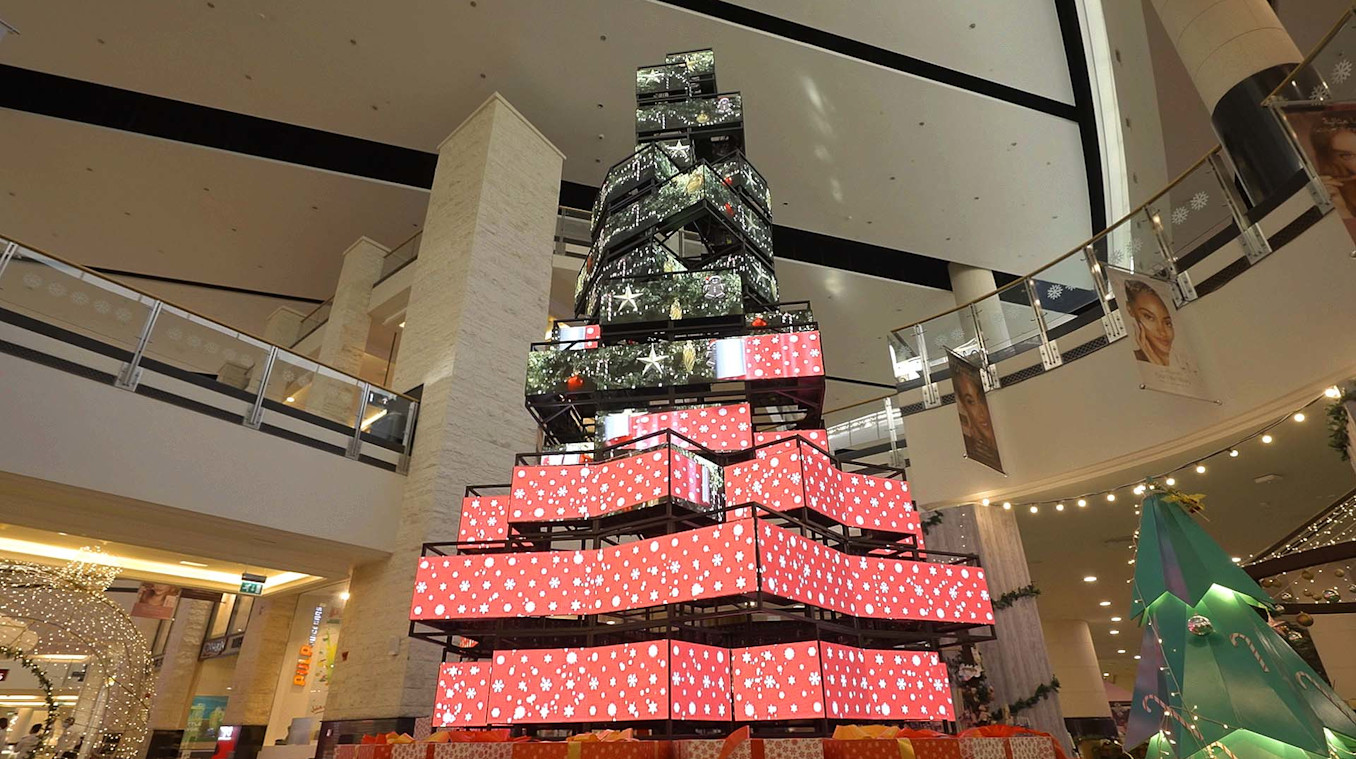
The LED surface should follow a stable fabricated frame rather than being forced to correct a weak structure. Coordinate the trunk core, branch connections, canopy supports, base plate and host-floor interface with the venue’s qualified structural team. Verify access for lifting, assembly, cable termination and future module replacement before approving the finished skin.
For a branching feature without a tree canopy, compare Tree Horn LED Display.
Cost drivers
What affects a Wisdom Tree LED Display project budget?
The quote depends on the approved display area and pixel pitch, plus the amount of custom geometry around it. Branch count and canopy shape affect fabrication and mapping; venue access and installation method affect assembly. A useful RFQ includes drawings, viewing distances, indoor or outdoor conditions, content zones, control preferences and the expected service approach.
Canopy and branch geometry
More junctions, changing angles and irregular faces usually require more custom segmentation, fit checks and content mapping.
Frame, finish and base
The sculpture frame, visible finish, anchoring interface and any removable covers must be scoped alongside the LED surface.
Active LED area and pixel pitch
The real pixel area and required image detail affect module quantity, processor capacity and the content canvas.
Delivery, lifting and commissioning
Ceiling height, access windows, assembly sequence, signal routing and on-site calibration shape installation effort.
Drawing review
Review the drawings before fabrication begins
A concept render communicates appearance, but it does not define a buildable or serviceable display. Before release, check that the dimensioned elevations, active-pixel map, structural interfaces and installation sequence describe the same version of the tree. Ask the fabricator and content team to review the same marked-up drawing.
Overall envelope and venue clearance
Confirm finished height and canopy extent against ceiling services, sprinklers, balconies, sightlines and the route used to bring parts into the venue. Identify lifting points and the largest assembly that can pass through doors or service lifts.
Canopy shape from key viewpoints
Review the plan and elevations from the main entrance, side approaches and any upper-floor viewpoints. Check branch spacing, silhouette, display-face direction and the transition from canopy to trunk.
Trunk, branch joints and finish
Mark the trunk profile, every branch reference, frame connection and removable cover. Check that module seams and decorative finishes can be installed without blocking airflow, cable routes or service access.
Active display zones and signal map
Compare the physical zones with the processor canvas. Label orientation and signal path, and ensure seams, non-display faces and cut-outs are not treated as pixels in the content file.
Base interface and installation sequence
Confirm the base footprint and cable entry with the venue and structural team. Plan delivery, lifting, assembly, electrical connection and access to replace a module after the sculpture is in service.
Power, control and maintenance access
Show where power and data equipment sit, how heat leaves enclosed areas and how a technician reaches serviceable parts. Agree what can be removed and the tools or access equipment required.
FAQ
Wisdom Tree LED Display: common project questions
What information should I send to quote a Wisdom Tree LED Display?
Send a concept image plus dimensioned plan and elevations, overall height, canopy width and depth, trunk profile, viewing distances, indoor or outdoor conditions, and the intended active LED faces. Note access, lifting and installation constraints. The image alone cannot establish fabrication dimensions or final price.
Can the trunk, branches and canopy show different content?
Yes, if they are defined as separate active zones and the processor and content workflow are designed around the physical map. Label each face and branch junction, then test orientation, seams and transitions with a grid before producing final animation.
How is content mapped onto a tree-shaped LED screen?
Start with an as-approved surface map that identifies every active face, module orientation, seam, inactive area and signal path. Build content against that map and verify it on the assembled display; a standard rectangular canvas may distort or break across branches and canopy sections.
What should be checked for installation in a mall or public venue?
Coordinate the finished envelope with ceiling services, sightlines, delivery routes, lifting access, base anchoring and the host floor. Have the venue and qualified structural professionals review the support and interface, and plan how technicians can reach power, control equipment and replaceable modules.
What drives the cost of a custom LED tree sculpture?
Cost is shaped by active display area and pixel pitch, the number and complexity of branch junctions, canopy geometry, frame and finish, control and content mapping, and site assembly or lifting. A dimensioned drawing and installation conditions make the estimate more meaningful.
Are standard performance figures available for every Wisdom Tree project?
No single value should be assumed for a custom shape. Confirm pixel pitch, brightness, protection level, refresh, power and control configuration for the intended indoor or outdoor environment in the project quotation and approved technical documents.
Related creative LED formats
Compare the shape with your installation goal
A filled circular led image surface defined by diameter and edge segmentation rather than a rectangular canvas.
A compact led advertising surface integrated with a delivery box or mobile carrier where weight, power and weather exposure are constrained.
A made-to-drawing led project used when standard cabinet geometry cannot satisfy the required object, surface or installation.
Plan a tree display from drawings and venue conditions
Share the concept image, dimensioned plan/elevations, viewing distances, venue conditions, active display areas and installation constraints. Highcolor can review the geometry, LED zoning, control map and information needed for a project quotation.
Request Engineering Review →