Modular indoor walls
For lobbies, retail, auditoriums and information displays. Start with module format, wall size and the service plan.
Compare module options ↓
A display that fits the space.
A canvas that fits the content.
Plan a modular LED wall for your meeting room, lobby, retail space or institutional venue. Compare the display route, native pixels and installation requirements before specifying the system.
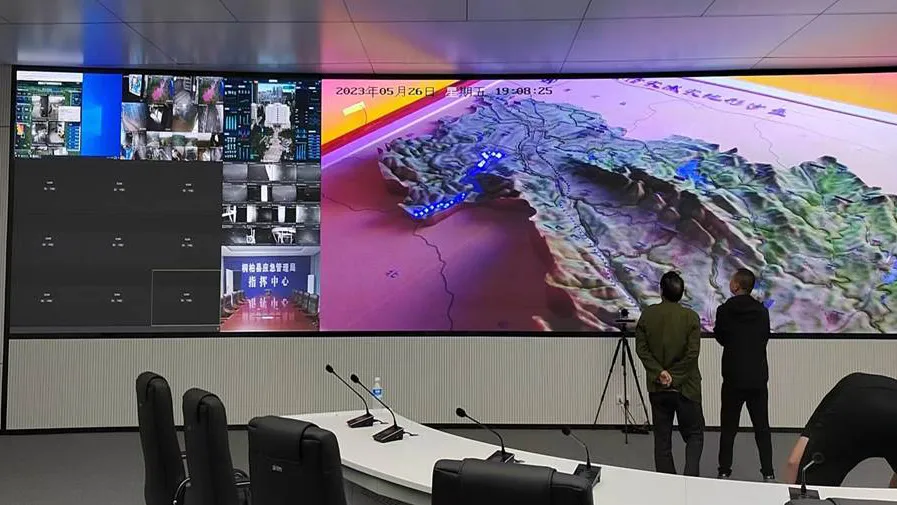
Start with viewing positions, content and the available wall space.
Permanent walls, close-view displays and temporary event screens have different priorities. Use the route that matches the brief.
For lobbies, retail, auditoriums and information displays. Start with module format, wall size and the service plan.
Compare module options ↓For projects where viewers sit close or need fine text and dense visual detail. Review the actual pixel canvas and content.
Explore fine-pitch LED ↗For repeated setup, transport and event production. Compare cabinet handling, quick connections and fleet requirements.
Explore indoor rental LED ↗For concave, convex and custom surfaces. Provide the geometry so module choice and the supporting structure can be reviewed.
Explore flexible LED screens ↗Wall area alone does not tell you whether a display will work. Evaluate the content from the real viewing positions.
| Project | Content & viewing priority | What to confirm |
|---|---|---|
| Meeting & training rooms | Slides, charts, remote participants and readable text from the nearest seats | Native canvas, content scaling, working brightness, operating sound and source inputs |
| Corporate & hotel lobbies | Brand imagery, visitor information and sightlines across the space | Screen dimensions, room lighting, daily schedule, wall integration and service access |
| Retail & exhibition spaces | Product imagery, campaign graphics and people moving close to the screen | Closest viewing distance, surface protection, content workflow and installation geometry |
| Auditoriums & institutional venues | Video, announcements, presentation content and wider audience positions | Pixel canvas, viewing angles, camera requirements, support structure and maintenance plan |
These are module-level options from Highcolor’s published indoor specifications. Cabinet construction and the complete display specification are confirmed separately.
| Pitch | Module size (mm) | Module pixels | Pixels/m² | Max W/m² | Avg W/m² | Brightness cd/m² | Viewing angle (H/V) |
|---|---|---|---|---|---|---|---|
| P2 | 320 × 160 | 160 × 80 | 250,000 | ≤600 | 180 | ≥600 | H150° / V130° |
| P2 | 256 × 128 | 128 × 64 | 250,000 | ≤600 | 180 | ≥600 | H150° / V130° |
| P2.5 | 160 × 160 | 64 × 64 | 160,000 | ≤600 | 180 | ≥600 | H140° / V130° |
| P2.5 | 320 × 160 | 128 × 64 | 160,000 | ≤600 | 180 | ≥600 | H140° / V130° |
| P3 | 192 × 192 | 64 × 64 | 111,111 | ≤550 | 160 | ≥600 | H140° / V130° |
| P4 | 256 × 256 | 64 × 64 | 62,500 | ≤550 | 160 | ≥600 | H140° / V130° |
| P5 | 320 × 160 | 64 × 32 | 40,000 | ≤550 | 160 | ≥600 | H140° / V130° |
P2 and P2.5 each appear in two module formats. Select the format as well as the pitch; dimensions and pixel counts differ. Listed power and brightness values are reference ratings, not measured consumption or a complete dimming specification for the assembled wall.
Request the cabinet drawing, total wall depth, mounting details, weight and service clearances for the proposed system.
Use the fine-pitch or shaped-display route above. Do not assume every format shares the same brightness, protection, refresh or maintenance design.
Choose a reference module and enter the available width and height. The estimate rounds down to whole modules and calculates their native pixels.
Planning estimate for the active module area. Cabinet frames, edge finishing, installation tolerances and service space require a project drawing and may change the final dimensions.
Uses the published module pixel matrix and power density for the selected option. This is a module-grid estimate, not confirmation of a buildable cabinet layout, structural capacity or final electrical design.

Bring the site information into the equipment specification before approving the final layout.
Pitch, format, area and system requirements affect the quotation. Ask for the same equipment and service scope when comparing proposals.
Module option, cabinet architecture, LED and driver configuration, surface protection, brightness, refresh, calibration and the complete active canvas.
Mounting frame, installation drawings, edge details, service clearances, cable routes and the site work included in the proposal.
Processor capacity, receiving system, signal inputs, playback requirements, cables, power distribution and any requested redundancy or management software.
Spare modules and electronic parts, calibration files, manuals, packing dimensions and weight, delivery destination and written warranty/support terms.
This page covers modular direct-view LED display walls. An LED-backlit LCD television uses a different display architecture. For a commercial project, compare the native canvas, total display size, viewing positions, installation access, control system and service requirements.
A module is a building block with its own physical dimensions and pixel matrix. The finished wall also needs a cabinet or supporting assembly, power supplies, receiving electronics, processing, cables and mounting. A module specification does not describe every aspect of that complete system.
That depends on module and cabinet geometry. For the 320 × 160 mm reference, a 12 × 12 module grid gives an active area of 3.84 × 1.92 m. The planner fits whole modules inside the space you enter. Confirm the final cabinet and finishing dimensions before construction.
Smaller pitch increases pixel density at the same physical size. The useful choice still depends on viewing distance, content, wall dimensions and budget. Review real text and images from the audience position, and use the fine-pitch route for projects that need more detailed close viewing.
Specify the operating schedule, room temperature, working brightness and service requirements. Confirm the selected model’s duty rating, cooling arrangement, noise level, warranty and maintenance plan. LED lifetime figures are not a whole-system warranty or a guarantee of uninterrupted operation.
Ask for an itemized scope. Confirm cabinets, supporting structure, processing and playback, power/data cables, distribution, spares, packing, delivery, site work and warranty. State which items your installer or team will supply so competing quotations can be compared consistently.
Send your wall dimensions, viewing distance and content needs. Request a module recommendation, complete screen layout and itemized system quotation.
sales@highcolorled.com ↗