01 — VISIBILITY
Sunlight & night use
Share screen orientation, shading and operating hours. Confirm the model’s calibrated brightness and a suitable dimming or scheduling method for day and night.

Highcolor · Fixed outdoor LED displays
Build the right screen for your site. Plan a permanent LED display for outdoor advertising, retail facades and public venues—with pixel pitch, service access and operating conditions considered together.
Manufactured for project requirements. Configuration and performance confirmed by selected model.

01 / Start with the site
A pitch number alone cannot define an outdoor screen. Bring these four decisions into the brief before selecting a cabinet.
01 — VISIBILITY
Share screen orientation, shading and operating hours. Confirm the model’s calibrated brightness and a suitable dimming or scheduling method for day and night.
02 — CONTENT
Review the nearest and typical viewers, text size and viewing time. Compare actual pixel resolution with the content, rather than choosing by area alone.
03 — ACCESS
Check mounting height, available depth and safe access. A front-service option must be confirmed for the modules, power supplies and control components.
04 — OPERATION
Identify the power supply, cable routes, heat exposure and local climate. Include distribution, control equipment and maintenance in the project scope.
02 / Choose the installation context
Permanent installations need a different brief from screens that travel between events.
Plan for pedestrian or roadside viewing, brand content and scheduled campaigns. Match the canvas to the architecture, content format and service route.
Explore outdoor advertising →
Define viewer position, message readability and installation height. Include the support structure, local approvals and access arrangements in the design brief.
Review your installation →Confirm live-input workflow, viewing positions and any camera requirements. A venue video screen does not automatically include scoring, timing or perimeter safety systems. See sports applications →
Frequent assembly calls for a rental-specific cabinet, rigging and transport plan. Compare outdoor rental displays →
03 / Compare the building blocks
Use module size and pixel matrix to plan the screen canvas. Confirm the complete cabinet configuration before ordering.
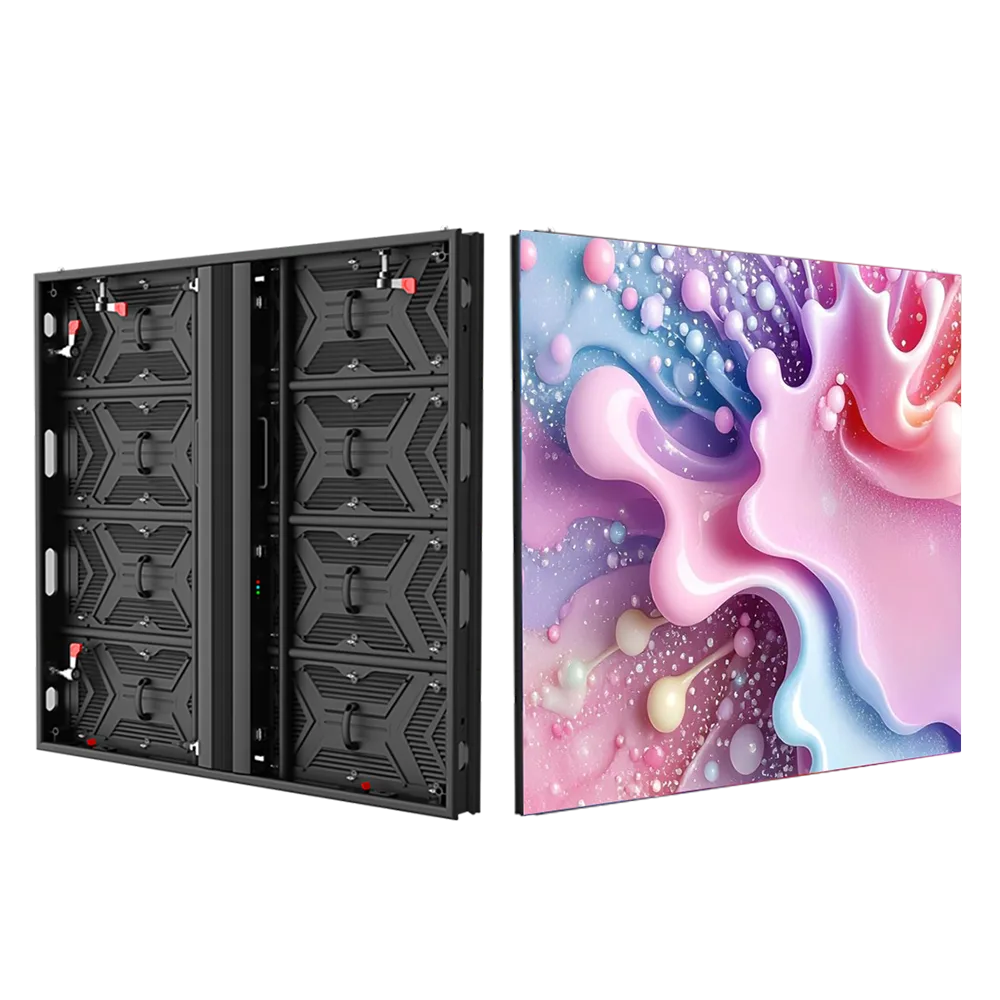
Cabinet image illustrates the product category. Dimensions, service method and construction depend on the selected model.
| Pitch | Module W × H | Pixels W × H | Density px/m² | Max. W/m² | Average ref. W/m² |
|---|---|---|---|---|---|
| P4 | 320 × 160 mm | 80 × 40 | 62,500 | ≤600 | 180 |
| P5 | 320 × 160 mm | 64 × 32 | 40,000 | ≤550 | 160 |
| P6 | 192 × 192 mm | 32 × 32 | ≈27,778 | ≤550 | 160 |
| P8 | 256 × 128 mm | 32 × 16 | 15,625 | ≤500 | 150 |
Need a finer pitch or a specific cabinet? Ask for a P3 or other model review with a confirmed module matrix, brightness, cabinet drawing and service configuration. Compare the resulting native pixel canvas with your actual content.
04 / Design for long-term access
The screen, enclosure, supporting structure and electrical system need to work as one project.
Protection & exposure
Review front and rear ratings separately, plus joints, cable entries and drainage. Rain, direct sun, humidity and coastal exposure need a model-specific assessment.
Maintenance & spares
Confirm front or rear access to every replaceable component, not only LED modules. Agree spare parts, batch compatibility and a maintenance plan before installation.
Structure & site conditions
Provide site drawings, mounting height and local conditions. Structural loading, foundations, wind design and approvals require review by qualified local professionals.
Power, heat & control
Confirm supply and distribution, thermal conditions, content control and monitoring requirements. Include earthing and surge protection in the qualified site electrical design.
05 / Turn module counts into a brief
Explore a rectangular module grid. This gives a planning reference; cabinet layout and final performance still need a project review.
Module counts must be whole numbers from 1 to 200. Energy uses the published average-area reference and a 30-day month. It is not a measured consumption figure or a utility-bill estimate.
—
400 modules · 20.48 m² · 3.69 kW average-area reference
Module dimensions exclude cabinet borders, structure and service clearance. These calculations do not size electrical circuits or certify a buildable cabinet layout.
06 / Compare the complete scope
A useful outdoor display quotation separates the screen from the work and equipment needed around it.
01 / DISPLAY
Pitch, native pixels, brightness, front/rear protection, service configuration and cabinet drawing.
02 / SITE
Supporting structure, mounting method, access, local engineering, permits and installation responsibilities.
03 / SYSTEM
Control equipment, signal routes, content management, distribution and environmental provisions.
04 / LIFECYCLE
Freight scope, commissioning, spare parts, warranty terms and maintenance responsibilities.
Ask for the documents that settle the decision: a model datasheet, cabinet layout and service drawing, power schedule, control scope and written support terms.
Request a configuration ↗07 / Before you specify
Bring the site conditions into the conversation early.
Start with the nearest and typical viewers, the physical screen size and the smallest important content. A smaller pitch adds pixels to the same area, but does not replace a content review. Compare native resolution and test representative text or artwork before confirming the model.
Confirm the selected model’s calibrated brightness against direct sun, screen orientation, shading and operating hours. Discuss dimming or scheduling for night use and any local restrictions. One brightness figure cannot describe every outdoor site or configuration.
No. The two ratings describe different sides of a specified enclosure configuration. Confirm the model’s documented rating, cabinet joints, connectors and exposure conditions. The complete installation must also address cable entries, drainage and access.
Front- or rear-service configurations must be confirmed for the selected cabinet. Ask which components can be reached from each side and how they are replaced. Safe service access and the necessary clearances belong in the installation drawing.
Actual use changes with area, content, brightness, operating schedule and conditions. The planner applies published area-based references to your module grid. Request the selected configuration’s power data and include controllers, cooling and other site equipment separately.
The requirements differ. A permanent billboard prioritizes site integration and long-term service access. Touring installations also need suitable repeated assembly, rigging and transport arrangements. Compare the outdoor rental range when the screen will move frequently.
08 / Plan your outdoor display
Share your dimensions, content and installation conditions. Ask Highcolor for a model-specific configuration and quotation scope.
