Opens in a new tab
HighColor LED Display Screen Manufacturer: High Standard, True Color

Highcolor / 3D LED solutions

3D LED Display.
Choose the right
canvas for your idea.

Explore glasses-free, perspective-based LED experiences for indoor spaces and outdoor facades. Compare the environment, screen format and content scope before choosing a system.

Indoor & outdoorScreen-specific contentProject-based configuration
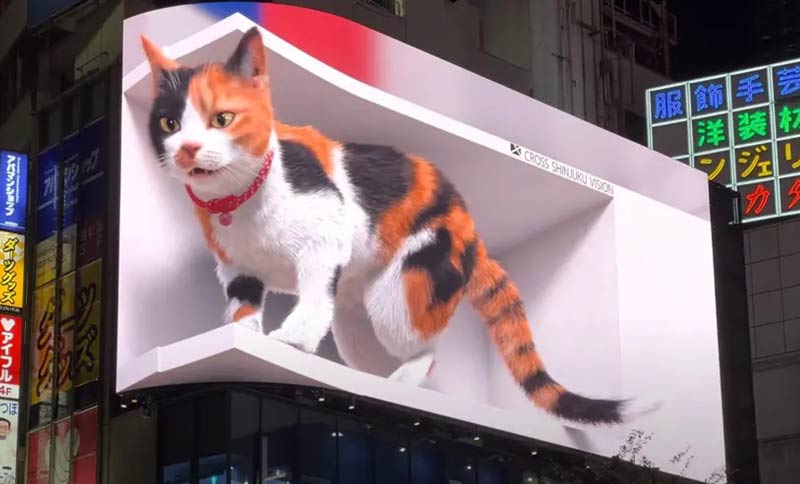
Large outdoor corner LED screen showing a three-dimensional advertising illusion
Screen geometry · audience viewpoint · mapped content
Screen geometryDefine every face, corner and transition.
Audience viewpointDesign around where people will stand.
Mapped 3D contentRender for the agreed pixel canvas.
Complete project scopeSeparate hardware, installation and creative.

Understand the effect

What makes an LED
screen look three-dimensional?

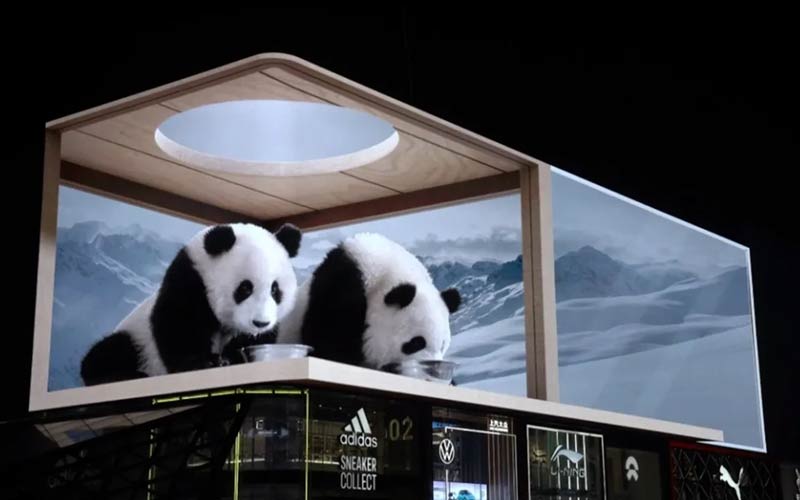
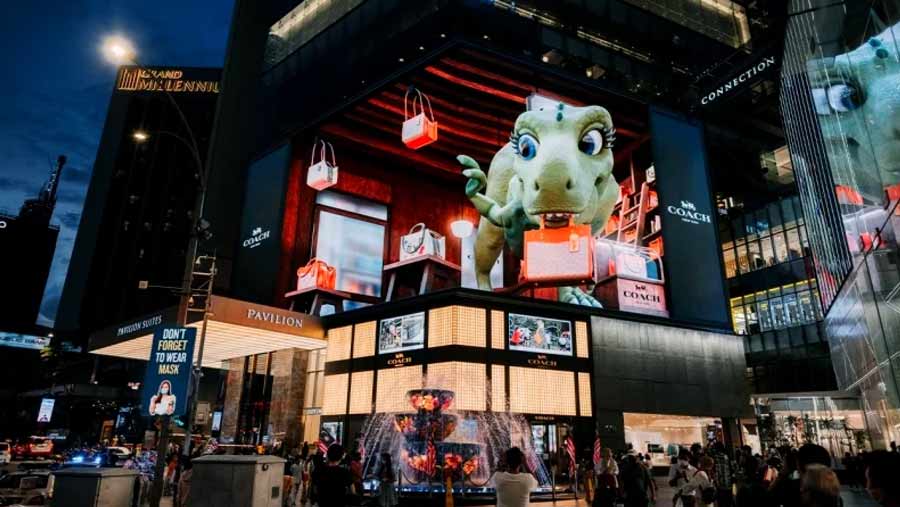
A naked-eye 3D LED display uses carefully composed imagery to create the illusion of objects extending beyond—or receding into—the screen.

For anamorphic advertising, the apparent depth comes from forced perspective, lighting and visual references designed for a particular screen layout and audience position. The LED surface remains a physical screen.

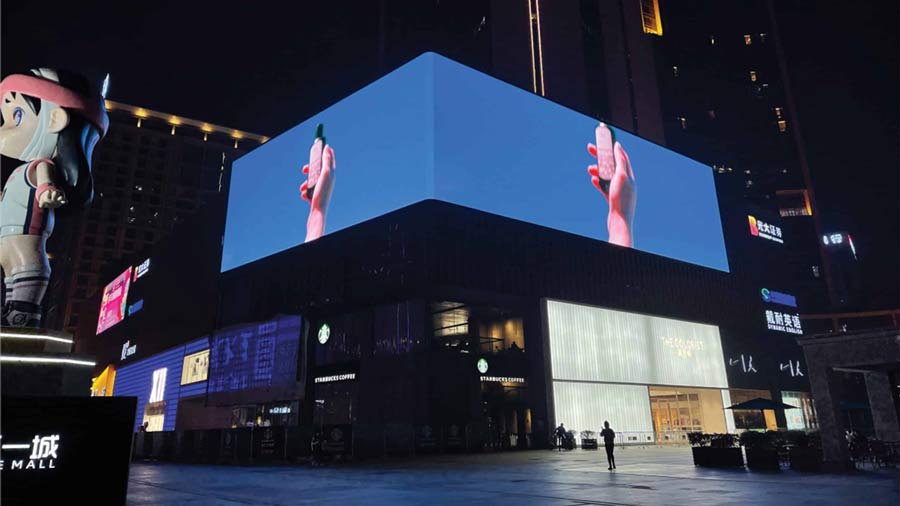
A corner can strengthen the illusion, but a corner alone does not turn an ordinary video into a 3D experience. Flat and curved screens can also carry perspective-based content when the concept is designed for them.

  • No viewer glasses for the anamorphic format described here.
  • A planned viewing zone for the intended depth illusion.
  • Conventional 2D playback can be included in the same display plan.
01
The physical screen

Geometry, pixel pitch, resolution and a practical installation.

02
The audience position

Approach routes, stopping points and the creative camera.

03
The mapped animation

Content built and tested for that exact screen canvas.

One coordinated brief. A more coherent visual result.

Choose the installation

Different spaces.
Different engineering priorities.

Start with the environment and viewing distance. Select a hardware configuration only after the screen layout and service access are understood.

Corner LED display reference illustrating a right-angle screen layout
Exterior / DOOH / Building corners

Outdoor 3D LED display

Plan for sunlight, nighttime dimming, weather exposure, structural interfaces and a workable maintenance route. Coordinate the corner detail with the building elevation.

Explore outdoor solutions
Indoor 3D LED installation reference for a commercial interior
Retail / Exhibitions / Brand spaces

Indoor 3D LED display

Prioritize close-view detail, comfortable brightness, heat and noise, interior finishes and front-service access. Protect circulation space around the viewing zone.

Explore indoor solutions

Corner screens

Define both faces, edge treatment and the design viewpoint before producing content.

Curved screens

Confirm the radius, module arrangement and pixel mapping through the curved transition.

Flat-screen concepts

Build perspective cues around the available canvas and a defined audience position.

Multi-face concepts

Review each face separately. A physical 3D shape does not guarantee a depth illusion.

Compare before specifying

Indoor or outdoor?
Start with the environment.

The two routes share a perspective-content workflow. Their hardware, site constraints and acceptance checks differ.

DecisionIndoor 3D LED displayOutdoor 3D LED display
Typical settingRetail interiors, showrooms, exhibitions and visitor spaces.Building facades, exterior retail corners and public media sites.
Audience & image qualityClose-view detail, low-level grayscale and comfortable output.Actual approach routes, daylight visibility and nighttime dimming.
Physical integrationFinished depth, interior edges, circulation, heat and equipment noise.Building interfaces, wind inputs, weather details and service access.
Main cost variablesPixel density, interior finishing, access restrictions and creative scope.Screen scale, structure, access equipment, exposure and site works.
Next stepCompare indoor modules and room requirements ↗Compare outdoor modules and facade requirements ↗

A display installed indoors behind sunlit glazing may still need a specific daylight assessment. Describe actual exposure and viewing conditions, rather than choosing equipment from the indoor/outdoor label alone.

See the possibilities

From a passing glance
to a stopping point.

Use these visual references to discuss scale, screen form and creative direction. Then evaluate your own site and audience.

Want to see moving examples?View an independent collection of indoor and outdoor naked-eye 3D displays.
Watch reference video
Four decisions before hardware selection

Build one coordinated brief.

The screen provides the surface. Perspective content creates the depth cue. The site determines where that experience can work.

01 / Desired experience

Define what visitors should see.

A perspective reveal, a multi-face LED object and an immersive room are different briefs. Choose the intended experience before comparing equipment.

02 / Environment

Choose the site-specific route.

Use the indoor page for close viewing and room integration. Use the outdoor page for facade, exposure and maintenance planning.

03 / Geometry

Approve the screen and viewpoint.

Record the faces, corners and intended audience position. A physical screen shape alone does not guarantee a convincing depth illusion.

04 / Responsibility

Separate the delivery scopes.

Name the suppliers for LED hardware, local structure, installation, creative content and operational handover in one proposal.

Screen and content together

Two coordinated scopes.
One visual experience.

Agree who delivers the display system and who produces the animation. The site-specific workflow is covered in each solution page.

LED & integration

A documented screen system.

Approve the equipment, geometry, active pixel map, control chain and installation interfaces.

Creative & usage

Content built for that canvas.

Agree the perspective preview, campaign length, rendering format, revision rounds, media rights and ongoing update scope.

Understand the investment

What does a
3D LED display cost?

Price the whole installation, with the screen and creative scopes shown separately.

01
LED equipment

Modules, cabinets, power supplies, controller, receiving cards, distribution and agreed spare parts.

02
Structure & installation

Site-specific structure, access equipment, electrical works, assembly, commissioning and acceptance.

03
3D content

Creative development, modeling, animation length, revisions, licensing and future updates.

04
Delivery & operation

Freight, taxes, local work, maintenance access and energy use under your operating schedule.

Interactive planning worksheet

Start with area. Add your assumptions.

Illustrative inputs only. This worksheet does not provide a Highcolor quotation or indicate current market prices.

Active screen area108 m²
Approximate pixel count6.75 M
Assumption-based totalEnter allowances

Area = (Face A + Face B) × height. Pixel count uses pitch in millimeters. Nothing is sent automatically; you choose whether to include your assumptions in an enquiry. Adjust the dimensions to actual module sizes before procurement.

Make the proposal reviewable

Know what will be supplied.
Know how it will be accepted.

Evaluate the complete project against documented deliverables. Ask for evidence relevant to your environment, screen form and maintenance plan.

Hardware & integration

A clearly defined supply package

Request a bill of materials that identifies the proposed equipment and the interfaces with local installation work.

  • Selected models, dimensions and pixel layout
  • Control, power and signal architecture
  • Structure interfaces and service access
  • Included spares, exclusions and delivery terms
Testing & handover

Evidence before acceptance

Agree what you will review at the factory, during commissioning and at operational handover.

  • Representative playback and visual inspection
  • Corner alignment, calibration and dimming checks
  • Operating instructions and configuration backup
  • Written warranty, response process and support scope

Buyer questions

Before you
specify a screen.

Answers for anamorphic, glasses-free advertising installations. Other forms of 3D display use different hardware and content methods.

Ask about your application
Is a 3D LED display different from a normal LED screen?

The underlying LED equipment may be similar to equipment used for a conventional video wall. In an anamorphic installation, the intended depth illusion depends on the physical geometry, a planned audience position and specially composed content. Hardware selection still matters for image quality, the installation and reliable operation.

Does the 3D effect look the same from every angle?

No. A perspective-based illusion is designed around a viewing position or zone. The screen can remain visible from other directions while the apparent depth changes or the scene looks distorted. Review previews from the actual audience routes rather than judging only one promotional camera angle.

Do I need an L-shaped screen?

No. A corner provides useful edges and depth references for many creative concepts. Flat or curved surfaces can also show perspective-based imagery. Choose the layout for the location and concept, then validate the intended viewpoint before production.

Can my existing LED screen show 3D content?

Possibly. Review its dimensions, geometry, resolution, controller capacity, playback compatibility and audience positions. A suitable content concept may work with the existing surface. Do not assume that changing the video file alone will deliver the desired effect.

Is a hologram fan or a spherical LED screen the same thing?

No. A rotating LED fan creates an image using moving light sources; a spherical LED screen is a physical ball-shaped display; a volumetric system places light points within a three-dimensional space. The anamorphic format on this page creates a depth illusion on an LED surface. The terms should not be used interchangeably.

Are animation, installation and structure included in the price?

Only if the quotation explicitly includes them. Ask for separate line items and named responsibilities for screen equipment, control, structure, local electrical works, installation, original animation, media rights, commissioning, freight and taxes.

How should I choose pixel pitch and resolution?

Start with the intended audience distance, screen dimensions, smallest content details and budget. Translate the chosen module arrangement into a pixel canvas and check sample imagery at the intended scale. There is no universal 4K or pixel-pitch requirement for every 3D installation.

What affects the production and delivery schedule?

Hardware availability, custom corner or curved parts, structural approval, content revisions, shipping arrangements and site readiness all affect the schedule. Request a written timeline with separate milestones for technical approval, creative preview, equipment readiness and installation.

Start with your site

Let's put your
3D project
in perspective.

Share the space, the screen dimensions and the effect you want to create. Start a discussion around an equipment configuration, pixel canvas and clearly separated delivery scopes.

  • Installation city and indoor or outdoor conditions
  • Width and height of every display face
  • Audience distance, approach and viewing position
  • Building drawings or site photographs, when available
  • Target launch date and content requirements
  • Budget assumptions and local installation responsibilities

Create your project brief.

Share the details you know. Review the brief before opening your email draft.

Nothing is sent from this page. Copy the brief or open an email draft, then attach site photos and drawings before sending.