
Mobile food-delivery advertising · vehicle integration
Food Delivery Box LED Display
Food Delivery Box LED Display turns the outside of a last-mile delivery box into a moving digital advertising surface while keeping the insulated cargo compartment dedicated to food. A workable design balances visibility with payload, vehicle stability, power draw, weather exposure, rider sightlines and daily cleaning. The right enclosure and mounting approach depend on the bicycle, e-bike or scooter fleet it will serve.
Plan a Fleet Display Project →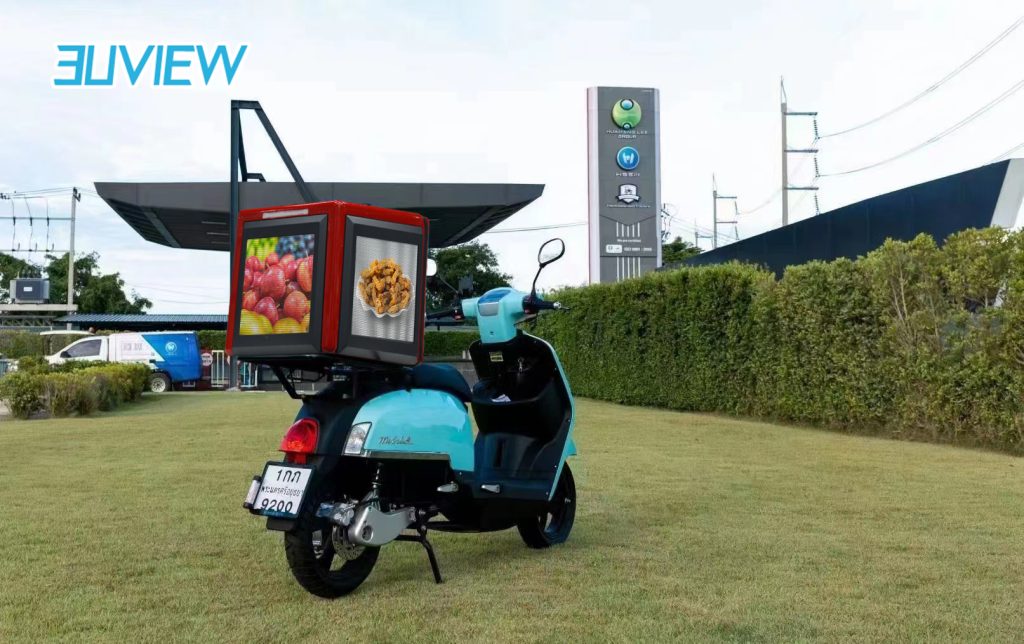
Definition
Treat the display, delivery box and vehicle as one system
A delivery-box screen is not simply a small outdoor billboard attached to a carrier. The added display, frame, battery or power converter and mounting hardware all affect the vehicle. Define the audience-facing sides, advertising schedule and operating hours alongside the box volume, total payload and the vehicle manufacturer's mounting limits. This avoids a screen that is visible in a mock-up but impractical on a working route.
For larger vehicle-mounted campaigns that do not need an insulated cargo box, compare mobile advertising vehicle formats such as LED Display on Vehicle.
Engineering
Engineering the Geometry of Food Delivery Box LED Display
Box/display envelope
Keep the food compartment dimensions, door opening and insulation envelope in the drawing. The screen enclosure must not reduce loading access or interfere with hinges, seals or daily cleaning.
Display face count
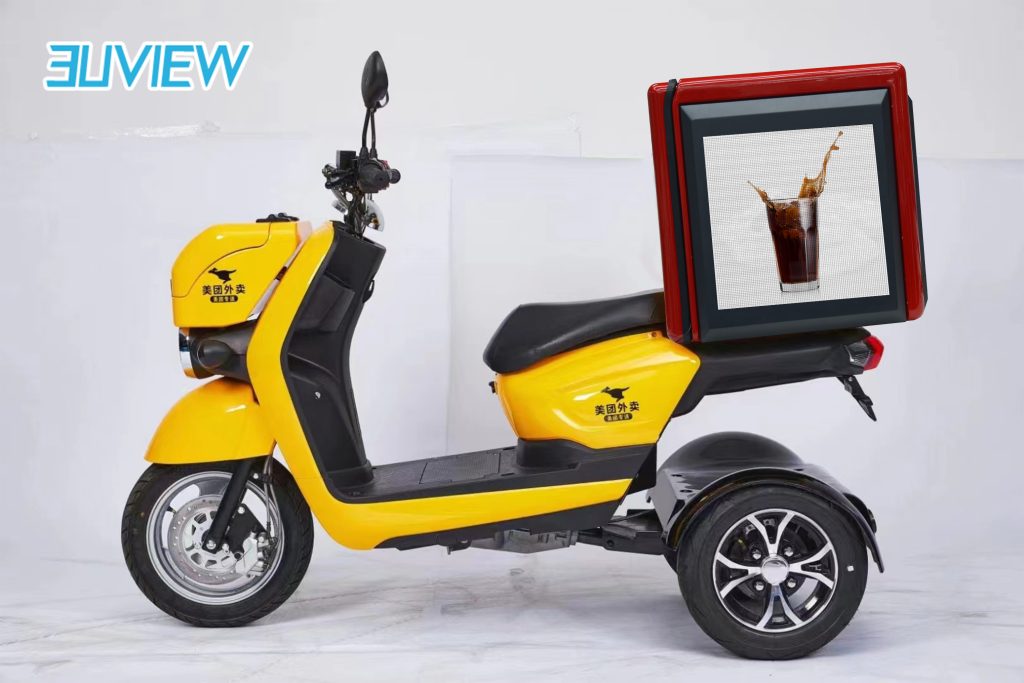
Choose rear, side or multi-face viewing based on traffic direction and campaign routes. Record the active area and viewing angle for each face instead of treating the box as one flat screen.
Added system weight
Calculate the complete installed mass, including frame, display, wiring and power equipment. Check its position against the carrier's approved payload and the vehicle's stability and handling limits.
Battery voltage/capacity interface
Agree whether the display uses a dedicated battery or a vehicle supply with suitable conversion and protection. Confirm voltage range, current draw, isolation and a safe charging or replacement routine.
Operating-time target
Set screen-on hours, brightness control and standby behavior around delivery shifts. Runtime should be verified with the selected display and power package under the intended route conditions.
Vehicle/rider mounting points
Show rack or chassis attachment points, fasteners, vibration isolation and cable routing. Keep lights, reflectors, plate numbers, doors and rider visibility clear, subject to vehicle and local requirements.
Specification
Inputs to confirm for a delivery fleet quotation
| Shape-specific engineering parameter | Value | Engineering use |
|---|---|---|
| Box dimensions and cargo capacity | Project-defined / confirm by drawing | Record outer dimensions, useful internal volume, door swing, insulation and access needed for loading and cleaning. |
| Active faces and viewing direction | Project-defined / confirm by drawing | Identify the display side or sides, active area, route audience and viewing angle for each surface. |
| Complete installed mass and location | Project-defined / confirm by drawing | Include display, frame, wiring and power hardware; compare with the vehicle payload limit and approved mounting points. |
| Supply and charging interface | Project-defined / confirm by drawing | Specify vehicle supply or dedicated battery, voltage/current needs, charging routine, protection and cable isolation. |
| Shift schedule and runtime target | Project-defined / confirm by drawing | State daily on-time, standby periods and route conditions so power capacity can be sized and tested against the brief. |
| Mounting, vibration and visibility | Project-defined / confirm by drawing | Coordinate rack/chassis attachment, vibration isolation, weather exposure and clearance around lights, plates and rider sightlines. |
This table is a project brief, not a published Highcolor specification. Confirm pixel pitch, brightness, refresh, protection level, power consumption, operating temperature, control method and applicable vehicle requirements for the selected configuration.
Vehicle integration
Build around the delivery route and vehicle
A delivery fleet may cover uneven roads, stop frequently and operate through changing weather. The screen, enclosure and cable connections need a mounting plan that accounts for vibration, rain exposure, cleaning and repeated handling. The complete system should fit the intended carrier without compromising the cargo box's opening, thermal lining or secure closure.
Before a pilot, check the fully loaded vehicle with the display installed. Confirm attachment security, payload and balance with the vehicle supplier; verify that lights, reflectors, registration and rider visibility remain unobstructed. Define who charges or replaces the power source, who updates campaigns and how a damaged panel is isolated and serviced.
Installation decision
Protect food storage, rider operation and service access
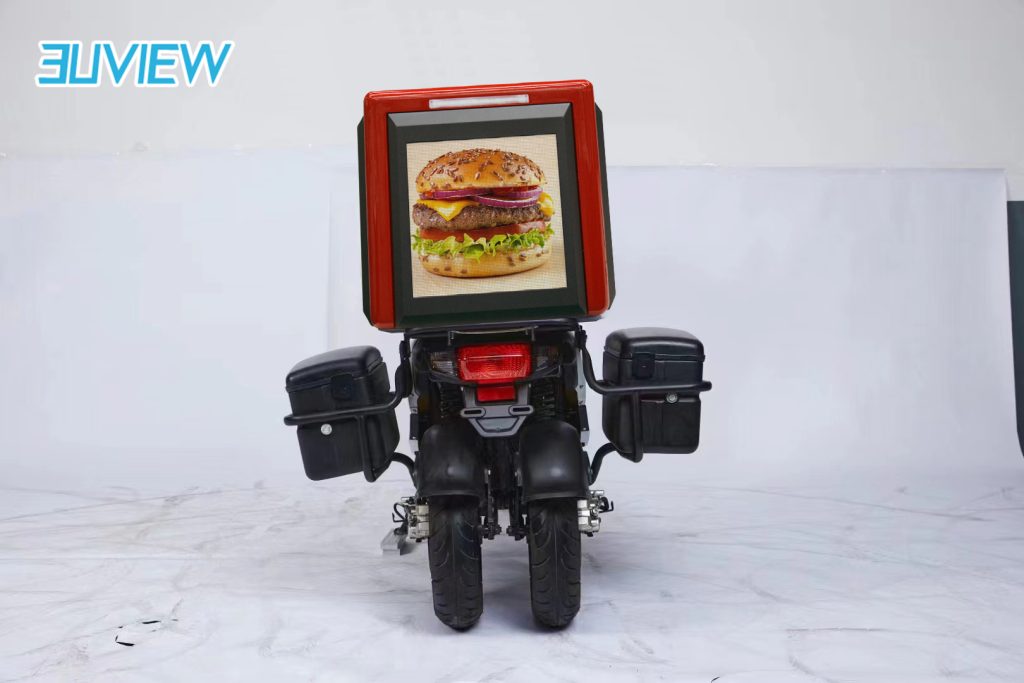
Keep the advertising hardware outside the sealed food compartment and preserve insulation, door seals and cleaning surfaces. Route power and data wiring away from hinges and pinch points, provide a secure serviceable enclosure, and use strain relief where the box or rack experiences movement. The vehicle manufacturer and local fleet operator should approve structural attachment, electrical integration and road-use details.
For broader mobile campaigns on cars or vans, compare LED Display on Vehicle.
Cost drivers
What determines the cost of a delivery-box LED display?
The quote depends on screen size and pixel pitch, number of viewing faces, enclosure and mounting design, power package, control needs and fleet quantity. Vehicle integration can be as important as the panel: a dedicated battery, weather-protected connectors, vibration isolation, replaceable parts and commissioning across several vehicle models all affect scope. Share a vehicle model, box drawing, route schedule and quantity for a useful estimate.
Screen size and pixel pitch
Active area and image detail determine the panel configuration, visual distance and content layout.
Power package and operating hours
Battery or vehicle supply, converter, daily runtime and charging process shape the electrical scope.
Mounting and enclosure
Custom brackets, weather sealing, vibration management and access for service add vehicle-specific work.
Fleet size and vehicle variation
Pilot quantity, box models, campaign control and spare strategy affect deployment and support planning.
Drawing review
Review the pilot installation before scaling a fleet
Test one complete vehicle configuration on its intended route before ordering for a mixed fleet. The review should cover the loaded box, display operation, power routine, campaign visibility, cleaning, charging and the process for removing or replacing a panel. Record the approved mounting drawing and configuration so fleet expansion does not introduce unreviewed changes.
Payload, box access and balance
Measure the complete installed assembly and compare it with the vehicle's rated payload and supplier mounting guidance. Open the cargo box fully, load it as it will be used and check balance and handling with the fleet operator.
Rider visibility and road equipment
Check the screen and brackets from the rider position and all rear/side angles. Keep lamps, reflectors, registration plates and required markings unobstructed, and confirm relevant vehicle rules before deployment.
Mounting and vibration
Inspect fasteners, rack or chassis attachment, cable strain relief and isolation after route testing. Agree an inspection interval and a safe way to remove the display for repair.
Power, charging and heat
Measure actual current draw through the planned content and brightness schedule. Confirm charging or battery swap steps, protection against accidental contact and heat management in the installed enclosure.
Weather exposure and cleaning
Specify the intended rain, dust and temperature conditions, then confirm the selected protection level. Check that cleaning products and routines do not damage the screen surface, seals or food-box materials.
Content operations and support
Decide how campaigns are loaded, scheduled and checked across a fleet, including offline behavior, access control, fault reporting, spare parts and the person responsible for service.
FAQ
Food Delivery Box LED Display: common questions
What vehicle and box details are needed for a quote?
Share the bicycle, e-bike or scooter model, delivery-box dimensions and usable volume, approved payload and mounting points, display-face preference, operating hours, route conditions and fleet quantity. A photo helps with an initial review, but a dimensioned drawing is needed to confirm fit and integration.
Will an LED screen reduce the box's food-carrying capacity?
It depends on how the display is integrated. The design should keep screen hardware outside the insulated cargo compartment and preserve its usable volume, door opening, seals and cleaning access. Confirm the final box configuration before production.
How should power and operating time be specified?
Define screen-on hours, standby periods and the planned brightness/content schedule. Then size a dedicated battery or vehicle-supply interface using the selected display’s measured consumption. Confirm charging or battery replacement, electrical protection and the expected runtime as part of the project review.
What should be checked before using the display on public roads?
Have the vehicle supplier and fleet operator review payload, balance, attachment, wiring and vibration. Check that the screen does not obstruct lamps, reflectors, registration plates or rider visibility, and verify local road-use requirements for the vehicle and display.
Can campaign content be updated across multiple delivery vehicles?
Campaign scheduling and update methods depend on the selected control system and fleet workflow. Specify who manages content, how updates reach the vehicles, what happens without a network connection and how a screen fault is reported before choosing the control arrangement.
Which weather and durability ratings should I request?
State the expected rain, dust, temperature, cleaning and vibration conditions. Confirm the protection level, operating range, connectors and maintenance approach for the selected configuration in the technical proposal; do not assume one rating applies to every delivery-box design.
Related creative LED formats
Choose the right mobile display format
A non-rectangular led surface whose perimeter cannot be reduced to one standard geometric primitive.
A spherical led display specified as a finished visual object, with emphasis on project sizing, support method and viewing around the ball.
A four-sided led wrap around a square or rectangular column with four planar faces and controlled vertical corners.
Start with the vehicle and delivery-box drawing
Send the vehicle model, box dimensions, usable cargo volume, mounting photos, route schedule, display-face preference and fleet quantity. Highcolor can use these to review the screen layout, mounting and power questions for a project quotation.
Request Engineering Review →