
BUILT INTO THE SITE / OUTDOOR FIXED INSTALLATION
Outdoor Fixed LED Display
Plan for the sun, the weather and the next service visit.
Permanent LED screens for building facades, fixed billboards and outdoor information. Compare image detail and enclosure requirements together, then configure the display around its location.
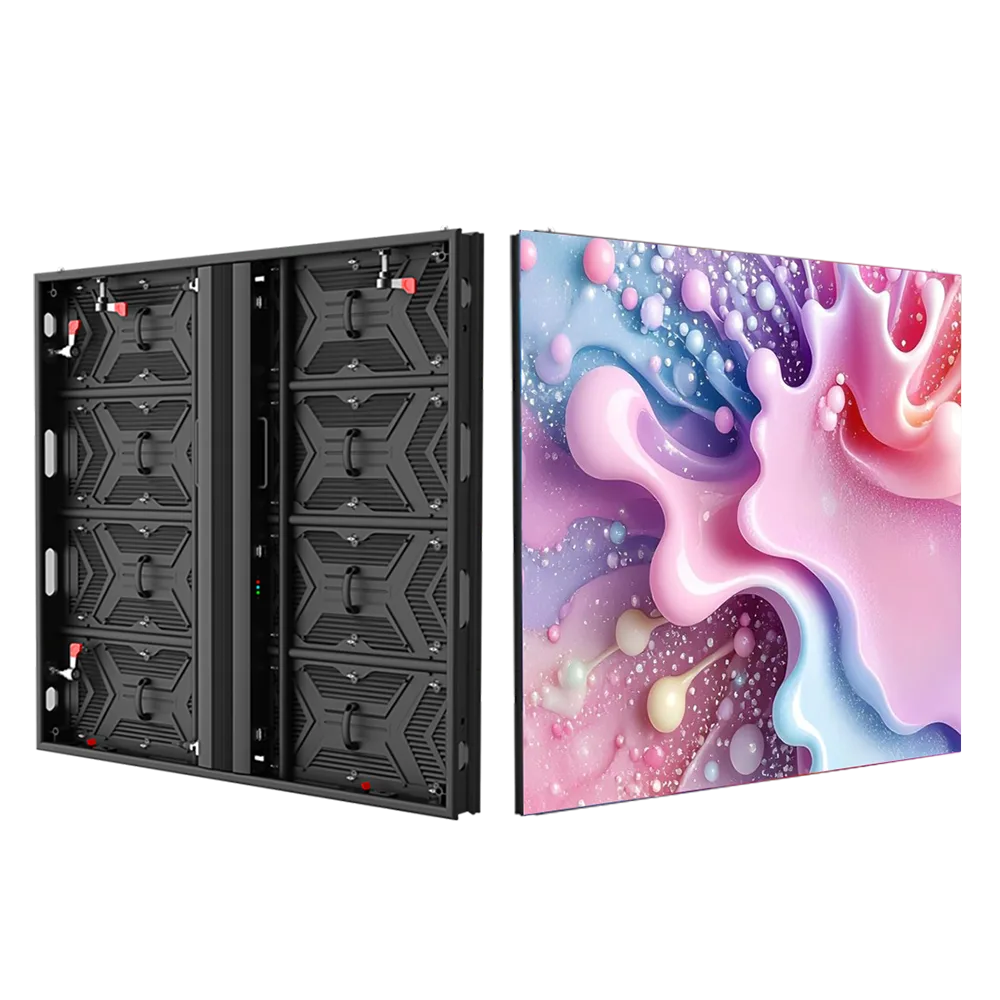
Illustrative cabinet from the site media library. Final enclosure follows the approved configuration.
DESIGN FOR THE ACTUAL VIEWING PATH
Choose for the audience and the location.

Building-mounted displays
Coordinate the opening, cladding, frame and service route. Check solar orientation and nearby viewers before deciding brightness and pitch. Show both the active image and the complete enclosure on the installation drawing.

Fixed billboards & site signage
Content must be readable within the available viewing time. Keep messages suited to the approach, and plan the support, maintenance access and operating schedule around the site.
Billboard image is an application illustration.
P4 / P5 / P6.67 / P8 / P10
Compare five pitches on a common reference platform.
Use this 960 × 960 mm, rear-service platform as a provisional comparison. A finer pitch increases the pixel count in the same area; it does not remove the need to check brightness, enclosure details and the service route.
REFERENCE DATA — REVIEW BEFORE PUBLICATION
The matrix uses one manufacturer’s published CF-series specifications. These values are not verified Highcolor ratings. Confirm the exact model, component configuration and front/rear protection before ordering.
| Parameter | P4 | P5 | P6.67 | P8 | P10 (2S) |
|---|---|---|---|---|---|
| Cabinet pixels* | 240 × 240 | 192 × 192 | 144 × 144 | 120 × 120 | 96 × 96 |
| Module pixels | 80 × 40 | 64 × 32 | 48 × 24 | 40 × 20 | 32 × 16 |
| Brightness (nits) | 5,500 | 5,500 | 6,000 | 5,500 | 5,800 |
| Scan duty | 1/10 | 1/8 | 1/6 | 1/5 | 1/2 |
| Maximum power (W/m²) | 850 | 836 | 840 | 760 | 850 |
| Listed average power (W/m²) | 300 | 280 | 280 | 260 | 285 |
SHARED FORMAT
Cabinet & module
Reference cabinet: 960 × 960 mm, 30 kg. Module: 320 × 160 mm. Rear service. Final cabinet material and dimensions require configuration approval.
IMAGE & INPUT
Refresh and supply
Reference refresh: ≥3,840 Hz. Input: 100–240 VAC, 50/60 Hz. Confirm the complete LED and driver configuration for the required image performance.
FRONT ≠ REAR
Protection & temperature
Reference listing: IP65 front / IP54 rear; operating temperature −20 to +60°C. These ratings do not establish the weather protection of the completed site installation.
*Cabinet resolution is calculated from 3 × 6 modules. P6.67 is the source’s nominal label; approve the exact pixel matrix. Average power is a supplier reference, not a guaranteed site consumption figure. Scroll the matrix horizontally on small screens.
TURN PITCH INTO A VISIBLE DIFFERENCE
Compare the same size, not different demo screens.
Illustrative layout: ten cabinets across and five high produces a 9.60 × 4.80 m screen. The reference P4 layout gives 2,400 × 1,200 pixels; P8 gives 1,200 × 600; P10 gives 960 × 480. The physical area is unchanged, while available detail changes substantially.
CONTENT
Test the smallest message
Use actual logos, text and video at the intended viewing distance. A fine-pitch purchase is wasted if the content layout is wrong; a coarse pitch can limit small lettering.
DAYLIGHT
Specify useful brightness
Assess direct sun, orientation and reflections. Compare output under relevant conditions rather than selecting the highest number without considering heat and power.
AFTER DARK
Schedule comfortable output
Include adjustable brightness and operating schedules in the control plan. Review the surrounding properties and applicable local conditions when setting night output.
THE SCREEN AND ITS SITE WORK TOGETHER
Weather protection goes beyond a cabinet rating.
WATER & DUST
Protect the whole assembly
Review cabinet joins, doors, connectors, cable entries and drainage. A front IP rating does not describe an exposed rear face, supporting enclosure or water trapped by installation details.
HEAT & MOISTURE
Plan the thermal path
Review ambient temperature, direct solar gain, ventilation and condensation risk. Do not assume the published operating range guarantees every sealed or sun-facing installation.
STRUCTURE
Engineer for the location
Provide screen dimensions, total equipment weight, mounting height and exposure to the responsible structural professional. Support and anchoring must be designed for the actual site.
ELECTRICAL & CONTROL
Coordinate qualified site work
Agree the power distribution, protective measures and cable routes with the local installation team. Confirm accessible isolation and how the display will be monitored and controlled.
ACCESS MUST WORK AFTER INSTALLATION
Front or rear service: decide before the structure.
FRONT SERVICE
When rear space is restricted
Specify an appropriate front-service cabinet and verify access to modules, power supplies and receiving cards. Retain safe working and removal clearance in front of the screen.
REAR SERVICE
When a service route is available
The reference series uses rear access. Provide a usable maintenance route and sufficient clearance for doors, tools and replacement parts; account for the rear protection rating.
For either approach, plan safe access at the installed height, isolation procedures, spare-part storage and access equipment. A replacement demonstrated on a ground-level test rack is not the same as one performed on a building facade.
QUOTE THE INSTALLED SCOPE
Separate display cost from site cost.
HARDWARE
Screen & control system
Compare the same pitch, cabinet, brightness configuration, processor, spare parts and protection requirements.
SITE WORK
Structure & installation
Allow for the support, access equipment, power/data distribution, local installation and project-specific approval requirements.
OWNERSHIP
Energy & maintenance
Estimate energy using expected operating brightness and hours. Include cleaning, access equipment, replacement parts and service arrangements.
For the 46.08 m² example, energy should be calculated from an agreed average operating load and daily schedule. Do not use the maximum power rating as normal energy consumption, or assume the supplier’s listed average matches every playlist and brightness setting.
BEFORE THE ORDER IS RELEASED
Request an approval package your installer can use.
01
Approved layout
Active dimensions, native resolution, cabinet count, mounting interface and service arrangement.
02
Confirmed specification
Exact electrical configuration, front/rear protection, temperature conditions and applicable product documentation.
03
Inspection agreement
Representative content, image checks, operating tests and the evidence required before shipment.
04
Delivery handover
Packing list, spares, drawings, controller settings, warranty scope and installation/support responsibilities.
Outdoor fixed LED display questions
BUYER FAQ
Is IP65 enough for an outdoor screen?
It is only part of the specification. Confirm which face is rated, how the rear and connections are protected, and whether the installation handles drainage, ventilation and the local exposure.
BUYER FAQ
What pitch should I use for an outdoor billboard?
Compare message size, viewing path, screen dimensions and budget. Test actual content at the intended distance. There is no single pitch that is best for every outdoor site.
BUYER FAQ
Can a rear-service screen be mounted flush to a wall?
Not if that prevents required service access. Choose a suitable front-service product or redesign the support and access space; do not assume rear-service hardware can be maintained from the front.
BUYER FAQ
Does high brightness mean high output all day?
No. Specify suitable day and night settings and confirm the controls available. The agreed operating plan should consider visibility, surrounding conditions and energy use.
BUYER FAQ
Can the display show 4K content?
The input capability and the physical pixel matrix are separate. A processor may accept 4K and scale it, while native 4K requires a screen with the necessary total pixel count.
BUYER FAQ
What information is needed for a quote?
Send the site location, photos, desired size, mounting height, viewing positions, exposure and service access. Add content examples, power availability and the target installation date.
BUILD A PROJECT-SPECIFIC PROPOSAL
Start with the outdoor site.
Send the location, target screen dimensions, mounting height and site photos. Ask Highcolor for a configuration, service-access plan and itemized proposal matched to the permanent installation.
