
TRANSPORTATION SOLUTIONS
Metro LED Display
Design Metro LED displays around passenger decisions, train operations, station conditions and reliable information across the journey.
Explore Transportation SolutionsCoordinate displays from station entry to the train
A metro display program can include wayfinding screens, platform passenger information, onboard journey displays and operator-facing status views. Each must use the correct station or train data and fit the passenger task at that location. Keep platform safety and service information under the rail operator’s control.
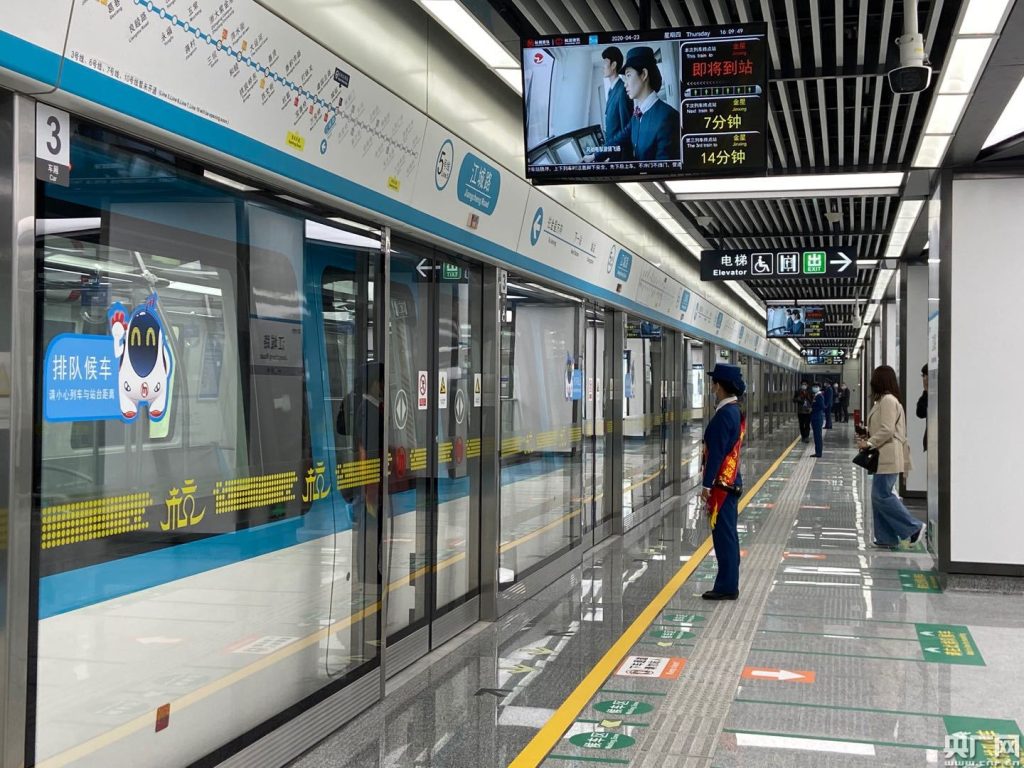
Design station displays around real passenger decisions
A platform display may show the next train, destination, platform change or service disruption. Confirm how the information is sourced, prioritized and updated, then review visibility from passenger approaches and waiting areas.
Plan passenger information across the metro journey
Station entry, concourse, interchange, platform and train interior each support different decisions. A display plan should connect wayfinding, next-train information and service changes without crowding the view or obscuring safety messages.
Map entry, interchange and platform decisions.
Check sightlines through queues, crowds, columns and platform furniture.
Prioritize platform safety and service status.
Align station terminology, line colors and destination names.
Test the longest station names and supported language combinations.
Provide accessible alternatives and consistent visual hierarchy.
Connect display content to authorized rail data
Arrival time, destination, platform changes and disruption notices should come from approved operational systems. Specify data ownership, update frequency, time synchronization, manual override, message expiry and what happens when predictions become unavailable.
Station and train identifiers
Map each display to the correct station, platform, direction and service destination.
Late changes and disruption
Test platform changes, short turns, cancellations and operator-issued notices with clear expiry.
Engineer for continuous public operation
Metro spaces bring vibration, dust, cleaning chemicals, passenger contact and long daily operating hours. Coordinate mounting and cable routes with station, electrical, fire and systems teams, and plan installation and maintenance around restricted engineering windows.
Coordinate equipment, cabling and mounting with station engineering teams.
Plan safe access and replacement within approved work windows.
Monitor device health and keep serviceable parts available.
Make information readable, accessible and trustworthy
Passengers may be moving, waiting in crowds or unfamiliar with the network. Keep line, destination and service status distinct, use approved terminology and verify layout using actual languages and the longest station names. Coordinate accessible formats and non-visual information with the operator.
Crowd visibility
Test from real passenger positions on a crowded platform.
Message priority
Keep safety and priority service messages visually distinct.
Accessible language
Review supported languages and station naming with the operator.
Specify each display for the decision it supports
Concourse and interchange
Help passengers select a line, route or transfer. Check visibility across queues, entrances and decision points.
Platform
Present next-train, direction, platform-change and disruption information where waiting passengers can read it.
Train interior
Support next-stop and journey updates using onboard data, available viewing time and passenger accessibility needs.
Operations and service teams
Provide a controlled way to publish approved changes and monitor whether the correct display accepted them.
What to define before a metro display rollout
Station survey and scope
Provide station plans, display positions, viewing distances, crowd flows, language needs, environment, mounting and approved engineering access windows.
Rail data and integration
Name the operational systems, data owner, protocols, time source, update frequency, manual overrides, security requirements and integration responsibilities.
Testing and handover
Agree passenger-view checks, message priorities, late service changes, outage behavior, accessibility review, maintenance training, as-built drawings and support ownership.
Frequently asked questions
Are metro platform screens the same as onboard displays?
They may share rail data, but platform and onboard screens have different viewing conditions, passenger tasks, mounting and control interfaces. Specify each location and content role separately.
Can advertising share a metro information screen?
Only within the operator’s content and safety policy. Train service, wayfinding and emergency information must retain their required priority and visibility.
How should a platform-change notice be handled?
Define its source, approval, priority and update path with the rail operator. Test that affected platform displays update promptly and that the notice clears or changes when the service plan changes.
What affects screen placement in a metro station?
Passenger flow, sightlines, crowding, platform safety, mounting permissions, cable routes, maintenance access and engineering-hour restrictions all affect the final position.
Plan a Metro LED display system around the station and service
Share station and platform plans, display locations, rail data interfaces, passenger languages, operating hours and engineering access requirements to begin a project review.
Contact Highcolor