
TRANSPORTATION SOLUTIONS
Bus LED Display
Specify bus LED displays around passenger visibility, vehicle integration, route data and dependable operation across the fleet.
Explore Transportation SolutionsBus LED displays connect route information with the passenger journey
What belongs in a bus display specification?
Compare the complete passenger information system
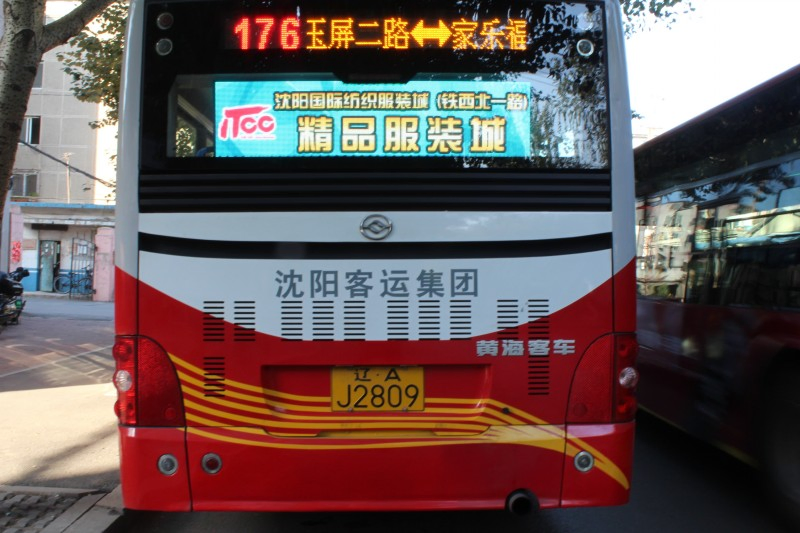
Make route identity clear before boarding and onboard
Exterior signs help passengers identify the correct service from the curb; onboard displays support next-stop and journey information. Agree how route assignments stay synchronized and what riders see when a live feed or vehicle connection is unavailable.
Separate display positions by passenger task
A front destination sign, side route display, rear identifier and interior next-stop screen do different jobs. Select each face and message for its audience, viewing angle and time available to read.
Front: service identity and destination.
Side/rear: route confirmation at boarding or from behind.
Interior: next stop, journey updates and approved notices.
Connect route data to the vehicle and operations team
Route displays depend on accurate service assignments. Define how schedules, route IDs, destination names and vehicle location reach the onboard controller, who may edit them and how staff verify the active display before departure.
Route identity
Match route, vehicle and destination data to the correct exterior and interior faces.
Live service information
Define update intervals and fallback when location or dispatch predictions are unavailable.
Driver and depot checks
Allow staff to confirm route content and report display faults before departure.
Design for vehicle movement and daily service
Onboard displays experience vibration, power cycling, heat and changing daylight. Specify mounting, electrical integration, enclosure protection and service access for each vehicle type; bus-stop displays have different exposure and ownership conditions.
Vehicle integration
Confirm mounting, cable routes, power behavior and interface responsibility with the vehicle team.
Passenger readability
Assess contrast, glare, viewing angle, language and legibility from curbside and cabin positions.
Specify each bus display position for its passenger task
Front destination
Show route identity and destination clearly to passengers approaching from the front, with enough viewing time for service selection.
Side route confirmation
Help waiting passengers confirm route and destination at the boarding side; check approach angle and crowding.
Rear identification
Provide a quick route reference for people viewing the bus from behind or as it departs.
Interior passenger display
Support next-stop or journey updates inside the cabin using a different layout and content source from exterior signs.
Keep passengers informed when service changes
Diversions and disruptions need controlled updates that remain consistent with the assigned route. Define who can publish notices, how temporary messages expire and how normal destination and next-stop information returns.
Set authorized roles for route changes and disruption notices.
Test messages from curbside and onboard viewpoints.
Remove temporary notices and restore normal route content.
Plan a consistent rollout across the fleet
Fleet and vehicle scope
List vehicle models and quantities, existing harnesses, display locations, replacement constraints and depot or service-window installation needs.
Route content and interfaces
Specify route database ownership, assignment method, language variants, driver controls, live location feeds, update frequency and out-of-service behavior.
Commissioning and support
Agree installation checks, route tests, training, spares, fault reporting, warranty handling, documentation and maintenance responsibilities.
Frequently asked questions
Can one controller run exterior and interior bus displays?
A shared platform may be possible, but each display position and content type needs the right interface, layout, update rule and passenger-view acceptance test.
What should happen if live arrival data is unavailable?
Follow the operator’s approved fallback, such as scheduled information or a service notice. Avoid showing predictions that are stale or no longer relevant.
How are route changes managed?
Define which dispatch or fleet system owns route assignments, who may override a vehicle’s content and how drivers verify the active destination before service.
Are bus stop displays part of the same project?
They can share information sources, but stop displays are separate installations with different mounting, power, ownership, weather and maintenance requirements.
Plan a bus LED display around your fleet and passenger journey
Share vehicle types, display positions, route-data sources and rollout requirements to scope a practical onboard information system.
Contact Highcolor