
ENTERTAINMENT & EVENTS
Wedding LED Display
Plan wedding LED screens around the venue, the event schedule and what guests need to see—from ceremony details to speeches, live moments and the dance floor.
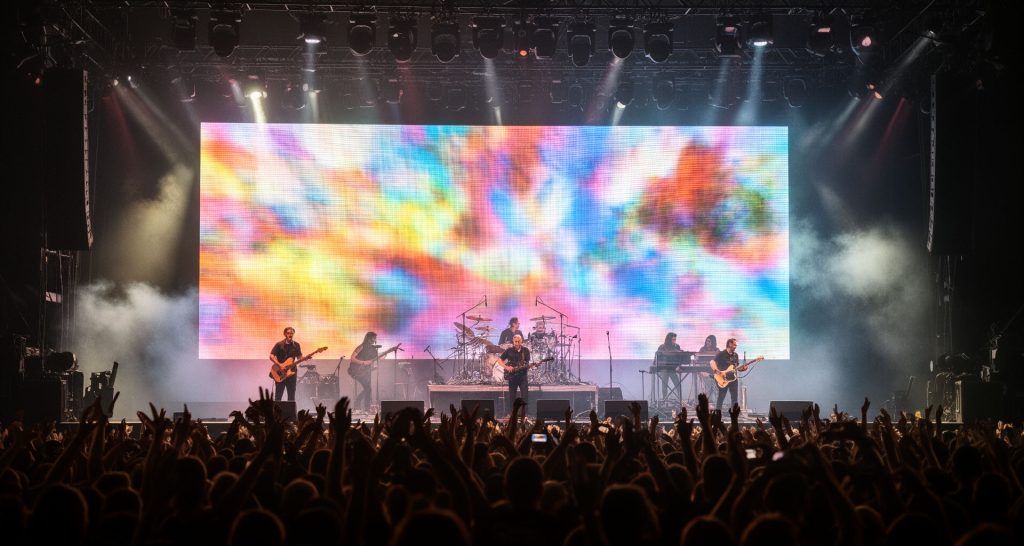
Build the display into the wedding run of show
Plan content around the wedding timeline
Treat the ceremony, cocktail hour, dinner, speeches and dancing as separate operating moments. Assign a screen purpose and content owner to each, then agree the start cue, duration and transition for every item with the event coordinator.
Coordinate with photographers and videographers
Discuss camera positions, screen brightness, shutter settings and refresh behavior with the photo/video team before the event. Test live camera feeds and playback on the actual screen; watch for moiré, exposure shifts, reflections and screen light spilling onto faces. Keep high-contrast text clear of likely crops and avoid rapid flashes during key photographs, entrances or speeches.
Make venue setup practical and discreet
Confirm load-in and sound-check access, screen support, electrical supply, cable routes and any venue rules for rigging or floor protection. Check the screen does not obstruct exits, sightlines, floral installations or service paths. Set a discreet equipment position and plan how the operator can see cues without disrupting guests.
Prepare a graceful fallback
Keep an approved static welcome or neutral scene on the system and a backup playback source ready. Give the event coordinator a simple switching plan and name one person who can authorize a change. If a feed fails, the operator should be able to return to a calm image without interrupting the ceremony or speeches.
Wedding display moments and content cues
Plan the screen as part of the event schedule. The display operator, planner and venue AV contact should share one approved cue list and know who can request a change.
Ceremony and entrance
Use restrained welcome or ceremony content, confirm when the screen should be static or dark, and coordinate entrance cues with the planner, music and lighting teams.
Cocktail hour and dinner
Schedule welcome messages, menus or photo content for times when guests can read them. Keep text concise and avoid changing visuals during speeches or important announcements.
Speeches and live camera
Confirm microphone and camera cues, who selects the live feed, and how the operator returns to the planned content. Test framing and audio/video handoff before guests arrive.
First dance and dancing
Agree the visual style, brightness range and transitions with the couple or planner. Prepare the dance-floor playlist or motion sequence and a calmer fallback for pauses or schedule changes.
Wedding LED display questions
Practical answers for couples, planners and venue teams coordinating an LED display for a wedding.
What content should be prepared?
Prepare approved welcome details, schedule or seating content if needed, photo or video files, and any live camera source. Confirm formats, aspect ratio, playback order and who approves last-minute changes.
How can a screen look good in wedding photos?
Coordinate with the photographer and videographer on camera positions and settings. Test brightness, refresh behavior, screen exposure and reflections in the venue, and review a few representative scenes before doors.
When should the display be installed and tested?
Agree the venue access window and complete setup early enough for a full rehearsal with final content, cameras, sound and lighting. Include time to fix mapping or playback issues before guests arrive.
What if the schedule or video feed changes?
Keep a simple cue sheet, approved neutral scene and backup source ready. Name the person authorized to approve changes and ensure the operator can return to a stable image quickly.
Plan wedding LED display details with your venue team
Share the venue layout, guest count, viewing positions, event timeline, content sources, camera use, installation window and setup restrictions. This helps clarify screen placement, operator cues, support requirements and the equipment scope before the event.
Discuss your project