
ENTERTAINMENT & EVENTS
LED Big Screen for Stage
Plan a stage LED screen around audience sightlines, camera framing, content delivery, structural requirements and the pace of live production.
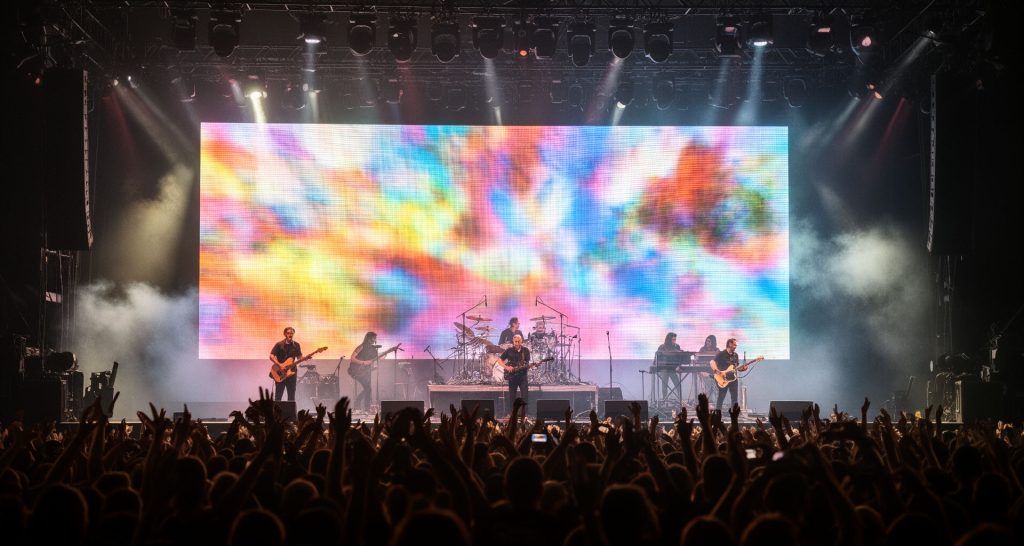
Design the stage LED wall around production needs
Stage LED screen planning priorities
Define its production role
Decide whether the wall is scenic video, IMAG, sponsor inventory, readable information or a planned combination. Set priorities for each show cue; this affects aspect ratio, pixel mapping, camera crops and content safe areas.
Draw the stage plan
Coordinate the screen position with sightlines, performer movement, camera shots, lighting fixtures, truss loads and cable paths. Confirm structural engineering, wind exposure and local event requirements for outdoor stages with the responsible production team.
Build a dependable signal route
Map camera, playback and media-server sources through switchers and processors to the screen canvas. Test resolution, scaling, refresh and color at full size; rehearse live source changes and verify the fallback source and recovery steps.
Prepare for strike and reuse
For touring or rental use, document cabinet order, receiver mapping, data and power links, spare positions and saved processor files. Label cases and cables, then test pack-down and redeployment assumptions against the actual crew and schedule.
Build the screen into the show workflow
A stage wall is only useful when it fits the content pipeline and the crew can operate it under show conditions. Resolve these decisions during technical planning, then rehearse them at the installed canvas.
Content canvas and camera framing
Confirm the physical pixel map, processor output resolution, screen aspect ratio and any non-rectangular regions. Give content teams a pixel map and safe-area guide. For IMAG, test the camera crop, screen brightness, refresh interaction and close-up shots; for scenic content, check that transitions do not create distracting flashes or obscure performers.
Inputs, switching and redundancy
List every source and its format, from playback and media servers to cameras and presentation feeds. Verify switcher and processor capacity for the intended canvas, label the signal path, and rehearse source changes. Define what the audience sees if a source, processor or data link fails, and keep the fallback sequence simple enough for the show crew to execute.
Crew handoff and show-day checks
Agree who owns content playback, processor presets, brightness limits and fault escalation. Before doors, check the full screen for mapping errors, dead or misaligned cabinets, color uniformity, image scaling, cable security and visibility from key audience areas. Record the approved configuration so a late change can be traced and reversed.
Specify the screen for the venue, audience and deployment model
There is no universal stage screen size or pixel pitch. The usable specification follows from the audience view, content canvas, venue constraints and whether the system stays installed or travels between events.
Start with viewing distance and content detail
Map the nearest and farthest audience positions and identify where text, faces or fine graphics must remain clear. Review a sample at realistic scale, and consider the screen dimensions and processor canvas together. Scenic motion can tolerate different detail than close camera images or sponsor copy, so do not select pixel pitch from a single viewing-distance rule alone.
Choose fixed, temporary or touring construction
A fixed stage installation can prioritize clean integration, permanent cable routes and planned service access. A temporary or touring wall also has to suit rigging points, available ground support, wind conditions where applicable, transport cases, crew capacity and fast repeatable assembly. Confirm the actual support method and engineering responsibility for each venue rather than assuming the display cabinets carry structural loads.
Compare proposals on complete system scope
Ask each supplier to state screen dimensions and resolution, cabinet and module details, brightness and refresh specifications, processor and input scope, power distribution, rigging or mounting interfaces, spares, commissioning, training and warranty. Check which items are supplied by the venue or production contractor, and request a signal-flow drawing, pixel map and deployment schedule to expose gaps before purchase.
Plan your stage LED screen with the production team
Share the stage plan, viewing distances, screen dimensions, camera and content sources, indoor or outdoor conditions, event dates and installation window. Include rigging responsibility, power availability, crew and strike schedule so the technical proposal covers show operation as well as the display.
Discuss your project