
ENTERTAINMENT & EVENTS
Concert LED Screen
Build a concert LED system around audience sightlines, stage design, live cameras and touring operations. Plan the full signal path, rehearsal and show-day support—not just the screen area.
Discuss your concert project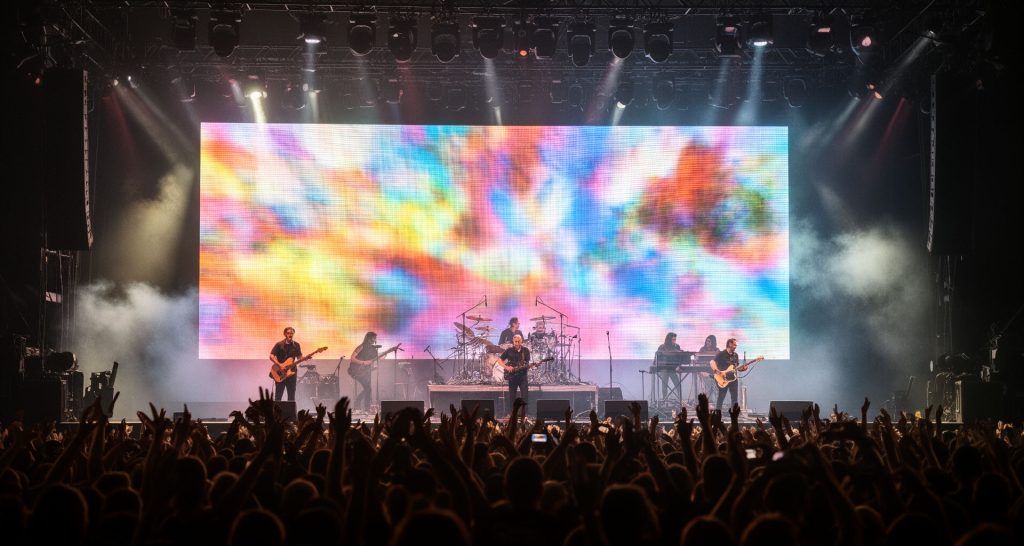
One screen may serve several live-show roles
A main scenic wall, side IMAG screens, stage extensions and transparent or moving surfaces can all appear in the same production. Map the content canvas, audience view and camera view for each surface, then coordinate them with lighting, scenic elements and performer movement.
This defines the right display format and control design before touring inventory, rigging and labor are committed.
Choose the screen role before the cabinet configuration
Concert display layouts are production-specific. A display that works as a distant scenic backdrop may not be the right choice for close camera images or detailed graphics.
Main stage backdrop
Creates the primary scenic canvas. Confirm stage width, performer positions, lighting interactions, content composition and sightlines from floor and balcony sections.
Side IMAG screens
Show close-up camera feeds to distant audience areas. Define camera framing, screen placement, image delay tolerance and whether content needs to match the main wall.
Touring or kinetic surfaces
Moving, suspended or layered displays add scenic flexibility but increase rigging, motion-control, cable-management and rehearsal coordination. Define operating envelopes and clearances with the production team.
Stage floor and set extensions
Floor, riser or architectural surfaces can extend the visual canvas. Review load, surface protection, performer safety, reflections, camera exposure and service access for the intended design.
Design one screen plan for the audience and the cameras
The audience sees the screen directly; broadcast and IMAG cameras record the display through a sensor and shutter. A usable specification should test both views with real positions and the show’s intended content.
Sightlines and image scale
Map the closest and farthest audience positions, side angles, obstructions, camera sightlines and screen edges. Choose dimensions and pixel mapping that support the actual content from those positions.
Camera artifacts and synchronization
Test camera shutter, frame rate, LED refresh behavior, scan artifacts and moiré with the cameras and lenses planned for the show. Where the system supports it, coordinate synchronization and phase settings during camera rehearsal.
Content canvas and playback
Document the pixel map, aspect ratios, playback frame rates, safe areas, content deadline and file handoff. Provide representative camera, graphics and scenic content to validate the final look.
NovaStar’s camera-focused guidance describes synchronizing LED refresh behavior with camera exposure and frequency to reduce scan-line artifacts; the correct configuration still depends on the complete camera and display system.
Make live sources, cues and fallback part of the design
A concert display is a live production output. Confirm who calls and executes each change, which systems carry the show content, and how the team recovers from a failed source, processor or connection.
Signal-flow map
List media servers, playback systems, cameras, switchers, processors and LED controllers. Show input formats, outputs, split points, fiber runs and which equipment is supplied by each party.
Cueing and control
Define who triggers looks and source changes, how presets are named and recalled, what is controlled at video world and what is controlled at stage. Keep show-caller communication and operator responsibilities clear.
Backup path
Specify spare sources, alternate signal routes, critical components and the fallback image or feed. Test the recovery procedure under rehearsal conditions rather than relying only on a paper diagram.
Commissioning and rehearsal
Reserve time for screen mapping, color matching, camera tests, playback checks and cue-to-cue rehearsal. Keep technical changes controlled once the show file and content are approved.
Plan the tour around venue access and changeover time
A touring screen must arrive, assemble, pass checks, run through the show and be packed within the available venue schedule. The display choice affects truck pack, crew hours, rigging plan and repair strategy.
Load-in sequence
Confirm dock access, unloading priority, build order, lift equipment, rigging points and when power and data become available. Coordinate the plan with local crew and venue production.
Rigging and structural review
Provide screen dimensions, assembled weight, wind or outdoor exposure where relevant, suspension details and motion requirements to the qualified rigging and structural teams for site-specific review.
Transport and inventory
Track panel IDs, flight cases, cables, processors, spares and accessories. Agree on labeling and packing procedures so repairs and inventory checks are practical across tour stops.
Strike and maintenance
Set a safe strike sequence, connector protection, fault reporting and repair window. Record damage and configuration changes before the equipment moves to the next venue.
Compare total production scope and rental assumptions
Quote totals vary with display size, configuration, touring duration, venue constraints and crew requirements. Compare the same event schedule and responsibilities across proposals.
Display inventory
Screen area, pixel pitch, cabinet format, curved or transparent elements, floor or kinetic surfaces and available touring stock.
Processing and signal
Processors, sending systems, media server, fiber, distribution, camera interfaces, backup equipment and content mapping.
Venue and labor
Rigging, local labor, lift equipment, load-in and strike hours, travel, transport, accommodation and venue access charges.
Show support
Video technicians, rehearsals, on-site operating hours, spare panels, repair service, training and post-event handling.
Information to send with a concert RFQ
Event and venue
Venue plans, stage plot, audience layout, show date, load-in and strike windows, indoor or outdoor conditions and touring schedule.
Display and content
Screen map and desired dimensions, camera positions, sample content, frame-rate and signal requirements, scenic design and content delivery deadline.
Scope and support
Rigging responsibility, equipment inventory, processors, crew hours, rehearsal calls, backup expectations, transport, spares and operator ownership.
Frequently asked questions
How do I choose a pixel pitch for a concert LED screen?
Start with the closest audience distance, required image detail, screen size and camera use. Confirm the intended canvas resolution and test representative content from audience and camera positions before booking the display.
Why can LED screens show lines or patterns on camera?
Camera shutter and frame timing can interact with LED refresh and scan behavior, while camera distance, lens and pixel structure can contribute to moiré. Test the exact camera and screen combination and adjust supported synchronization settings during rehearsal.
What should a concert LED screen rental quote include?
Compare panels, processing, signal distribution, rigging, transport, labor, rehearsals, show support, spares, strike and repair responsibilities. Check the rental duration and venue assumptions.
Can the main stage wall and IMAG screens use the same content?
They can share some sources, but the image framing, resolution, delay, aspect ratio and content purpose may differ. Specify each output and rehearse the switching and timing with the production team.
What details are needed to plan a touring LED wall?
Provide venue drawings, screen dimensions, audience and camera positions, rigging and access limits, load-in schedule, content and signal requirements, tour dates and staffing expectations.
Build the concert display plan around the show
Share the venue, stage plot, screen layout, camera plan, content and event schedule. We can help define a display and production scope for the show.
Discuss your concert project