
CONTROL ROOM
LED Stock Ticker Display
Plan an LED stock ticker around the accuracy and status of its market data, readable information hierarchy, update behavior and display uptime.
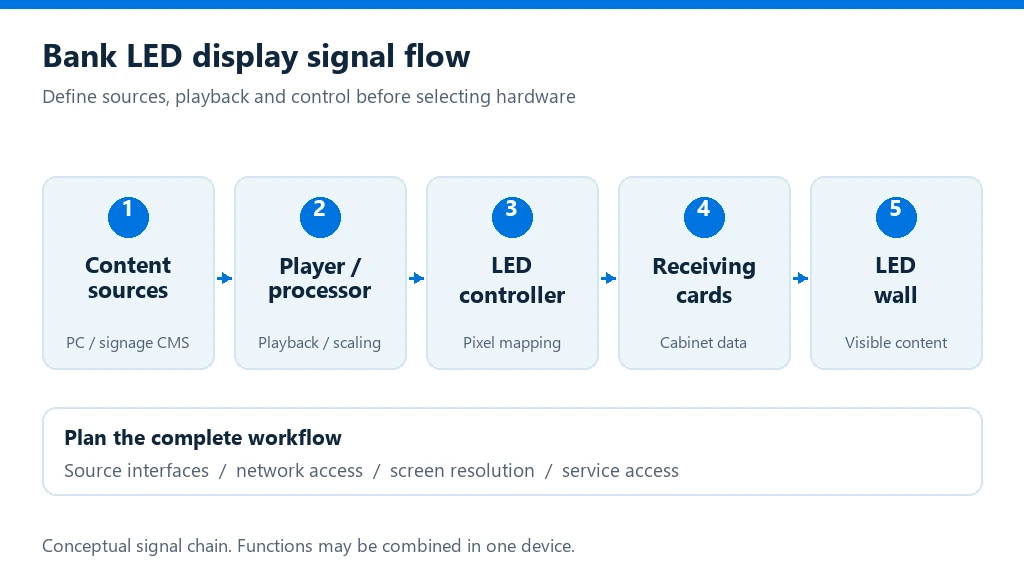
Connect the market feed to a readable display workflow
Make feed status and fallback behavior explicit
Monitor the data connection separately from the LED hardware. Define a stale-data threshold with the provider and show a clear status or timestamp when values stop updating. Prepare a market-closed layout and a neutral fallback rather than continuing to scroll old values as if they were current.
Document network access and operator controls
Document the feed interface, network route, credentials owner, controller configuration, permitted operator actions and escalation contacts. Coordinate access and network controls with the organization’s IT team, and test recovery after a device restart or link interruption.
Decisions that shape an LED stock ticker
Set the data rules and viewing requirements before configuring the ticker layout. These decisions help avoid stale information, unreadable motion or a display that does not fit its operating context.
Define the data contract
Agree the instrument list, exchange and provider, permitted display use, attribution, currency, time zone, refresh interval and whether values are real-time or delayed. Define how feed status is checked and who handles provider or data-quality issues.
Make movement readable
Set symbol and company-name formats, type size, spacing, decimal precision, negative-value treatment and scroll speed. Test long names and changing prices from normal viewing positions; do not rely on color alone to communicate movement.
Separate current, delayed and stale data
Establish status rules with the provider. Show a timestamp or explicit stale state when updates stop, and create a market-closed layout rather than presenting old values as current.
Plan access and recovery
Document feed interface, network route, credentials owner, controller configuration, permitted operator actions and escalation contacts. Test recovery after a device restart or link interruption.
LED stock ticker display: frequently asked questions
How do I know whether ticker data is current?
Set an update interval and stale-data threshold with the data provider. Show a timestamp or status when the feed is delayed or unavailable, and distinguish that state from current market values.
Can the ticker show multiple symbols and data fields?
The number of symbols, fields and update frequency depends on the feed, player/controller and layout. Confirm source capacity and formatting, then test long names, decimals and changing values at the intended viewing distance.
What happens when the market is closed or the feed fails?
Prepare a market-closed layout and a neutral fallback. If updates stop, make the status clear rather than presenting old values as current; define who receives the fault and how service is restored.
What information should be ready for a quote?
Prepare display dimensions and viewing distance, instrument list, data provider and feed format, update cadence, currency and time zone, operating hours, network constraints and required attribution.
Plan your LED stock ticker display workflow
Share the viewing distance, screen dimensions, symbol list, data provider and feed format, update cadence, market hours, content priorities and network constraints. Include display location, operating schedule and service expectations to define a complete ticker workflow.
Discuss your project