
COB LED Display for Close-View Indoor Spaces
Chip-on-board LED technology for fine-pitch indoor video walls.
Understand how COB construction differs from SMD and GOB, estimate the pixel canvas from cabinet dimensions, and compare surface, image and service requirements before choosing an indoor LED wall.
Discuss my COB LED wall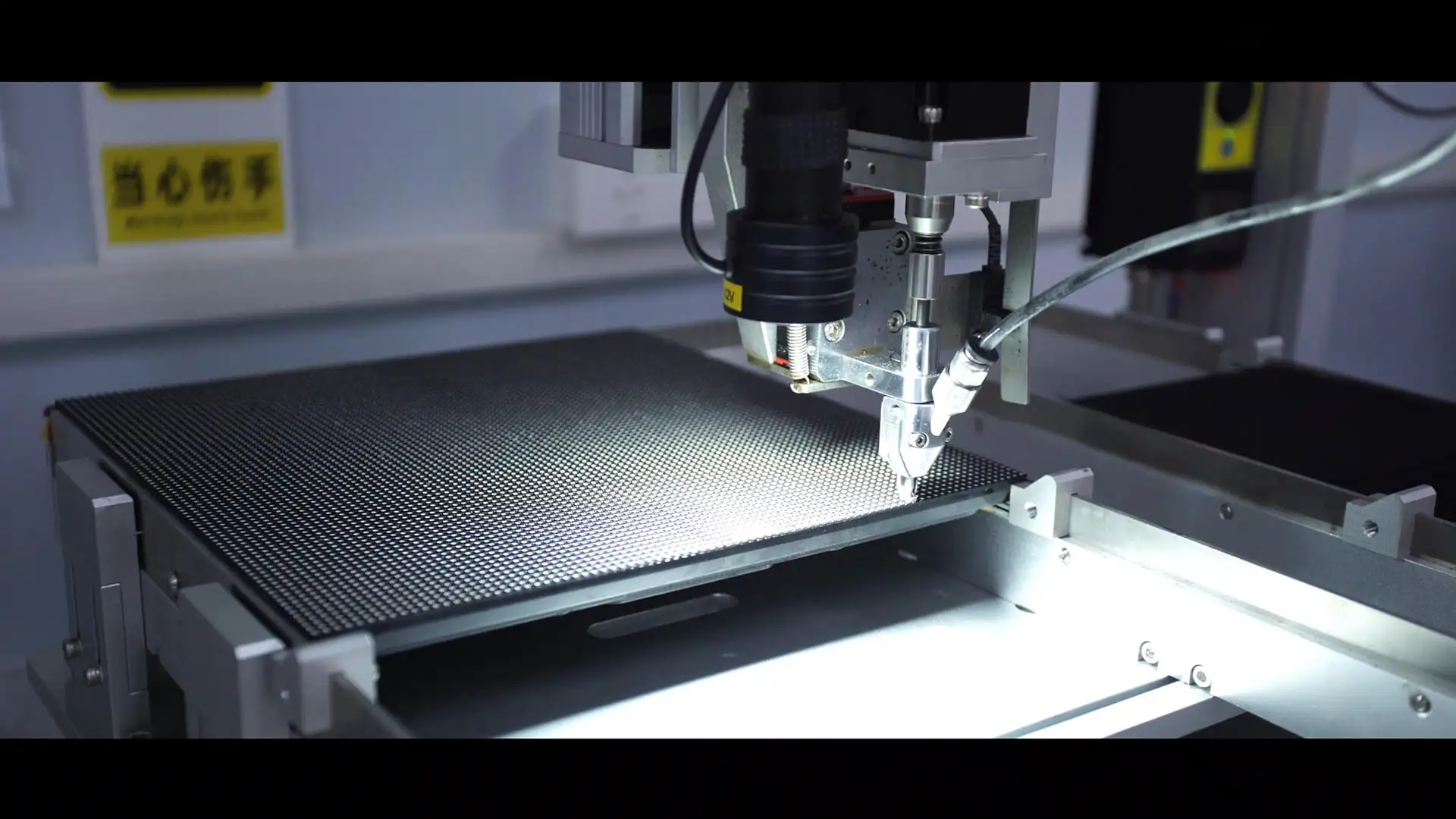
COB modules and display applications
Compare the front surface, cabinet construction, module service access and real installation context. A product view cannot establish every performance value, so pair the images with a sample review and configuration-specific specification.
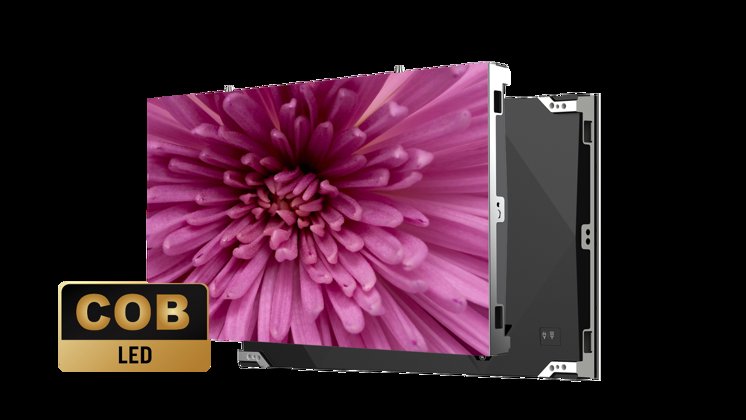
Cabinet front
Review the active display surface, pixel uniformity and cabinet finish under normal room lighting.
At sample review, compare matching gray and white test patterns.
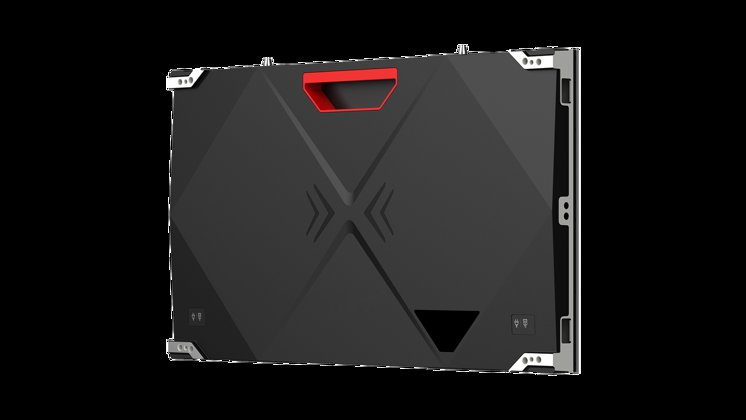
Cabinet rear
Check mounting points, cable routing, ventilation and access to power and receiving components.
Confirm power, data and ventilation clearances against the project layout.
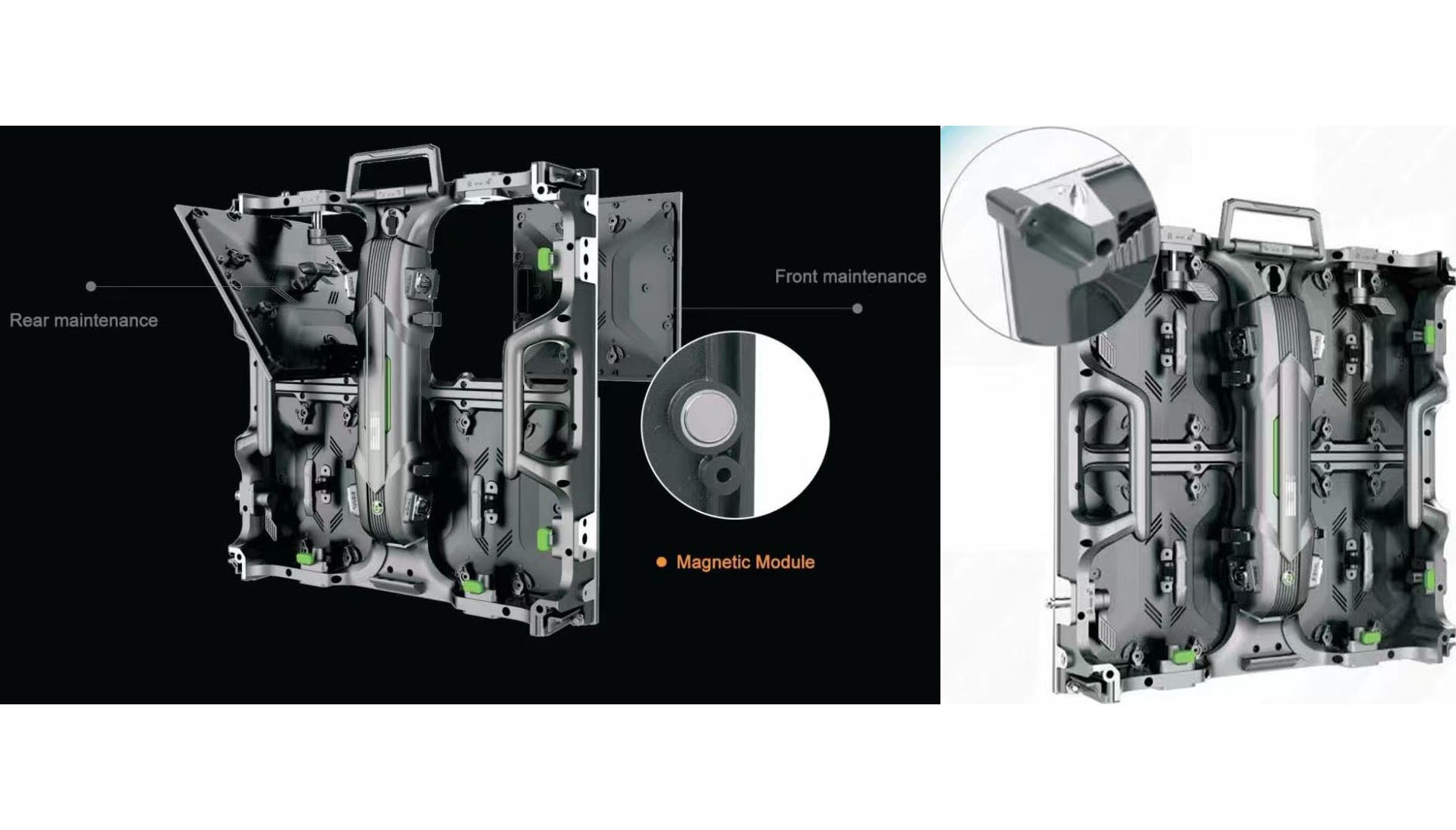
Removable module and service components
Confirm how the module is removed and which tools or clearances are required before planning maintenance.
Ask for the tested module code, cabinet mapping and replacement method.

Public interior context
Consider viewing scale, ambient light, reflections and the nearest audience position in the installed environment.
Evaluate the environment and scale from the audience's normal approach.
What COB changes—and what still needs checking.
COB describes LED packaging. By itself it does not define resolution, contrast, brightness, weather protection or repair cost.
| Approach | Basic construction | Review before choosing |
|---|---|---|
| COB | LED dies mounted directly on substrate and encapsulated. | Reflections, low-gray image, module matching and repair. |
| SMD | Packaged LED devices mounted on the board. | Pitch, exposed surface, image and service options. |
| GOB | Protective encapsulation added over a module, often using SMD LEDs. | Underlying LEDs, coating, cleaning and repair. |
GOB and COB are different terms. Compare samples at similar pitch and calibrated brightness; a smooth surface alone does not establish the underlying technology.
Choose the canvas from content and wall size.
A finer pitch places more pixels in the same area. Cabinet dimensions and exact pixel matrix determine the final layout.
| Planning pitch | Pixels per cabinet | Full wall pixels | Format |
|---|---|---|---|
| 0.9375 mm | 640 × 360 | 3,840 × 2,160 | 4K UHD |
| 1.25 mm | 480 × 270 | 2,880 × 1,620 | 16:9, below 4K |
| 1.5625 mm | 384 × 216 | 2,304 × 1,296 | 16:9, above Full HD |
| 1.875 mm | 320 × 180 | 1,920 × 1,080 | Full HD |
Calculated examples for an illustrative cabinet format, not a confirmed Highcolor model list. Pitch names may be rounded; verify exact cabinet dimensions and pixel matrix. The processor and signal path must support the assembled canvas.
Close-view text & dashboards
Start with the smallest text, viewing position and source layout. Review actual content at the intended distance.
4K input vs 4K display
A processor accepting 4K input does not make a lower-resolution wall native 4K. Confirm the physical matrix and output mapping.
Match the COB wall to the room.
Boardrooms & briefing spaces
Prioritize small text and comfortable brightness. Review reflections and shared desktop scaling.
Control & monitoring rooms
Check low-brightness uniformity, dense data readability and operating schedule.
Showrooms & premium interiors
Evaluate dark scenes, surface appearance when off and side-angle visibility. Coordinate recess and maintenance access.
Use the same scene for every candidate.
Compare at similar pitch and calibrated brightness under the room’s expected lighting.
Dark gradients
Review near-black detail, tint and transitions at intended operating brightness.
Solid fields & reflections
Use gray and white to inspect module boundaries and uniformity. Check expected side seats.
Real content & motion
Include small text, skin tones and motion. If filmed, test with intended camera settings.
Ask for measurement conditions behind contrast, refresh-rate and grayscale claims. Performance cannot be inferred from the COB label.
Make repairability part of the selection.
Encapsulation changes the service discussion. Agree who repairs a defect and what is replaced.
On-site module exchange
Confirm tools, handling and service direction. Check access to power supplies and receiving cards separately.
Repair & return process
Ask where chip-level work is done, what is returned and how replacements are sourced.
Match the restored image
Specify compatible spares, configuration backups and calibration; compare replacement modules with originals.
Compare the complete COB package.
Request a configuration-based quotation with clear inclusions.
Image & hardware
Exact pitch, cabinet matrix, dimensions, brightness, control, service direction, environment and electrical data.
Installed & lifetime cost
Mounting, distribution, installation, commissioning, spares, tools and support. Compare performance and maintenance commitments.
Send dimensions, viewing distance, sample content, room photos and operating schedule. Include native-resolution or camera requirements.
COB LED display FAQ
Is COB always better than SMD?
It depends on pitch, surface needs, image quality, budget and service plan. Compare complete systems.
Is every COB screen waterproof or touch-enabled?
No. Encapsulation alone does not define enclosure rating or touch input; confirm separately.
Does COB mean MicroLED?
COB describes chip-on-board packaging. Ask for the actual chip and packaging specifications.
Which pitch do I need for a 4K wall?
Native 4K UHD is 3,840 × 2,160 pixels. Calculate from cabinet pixel matrices and counts.
Can a COB wall be maintained from the front?
Some configurations support it. Confirm access to modules and electronics for the exact cabinet.
How should the surface be cleaned?
Follow the manufacturer’s procedure and approved materials; coatings differ.
Start with the picture your audience needs to see.
Share room dimensions and representative content. Review pixel canvas, surface performance and service scope.
Request a COB display proposal