
P1.8 GOB • INDOOR PRESENTATION
LED Podium Display
A presentation lectern with a built-in LED front display for conferences, keynote speeches and product launches.
Show speaker names, event branding, slides or short video on the podium itself while keeping the familiar lectern format.
Discuss Your Podium Project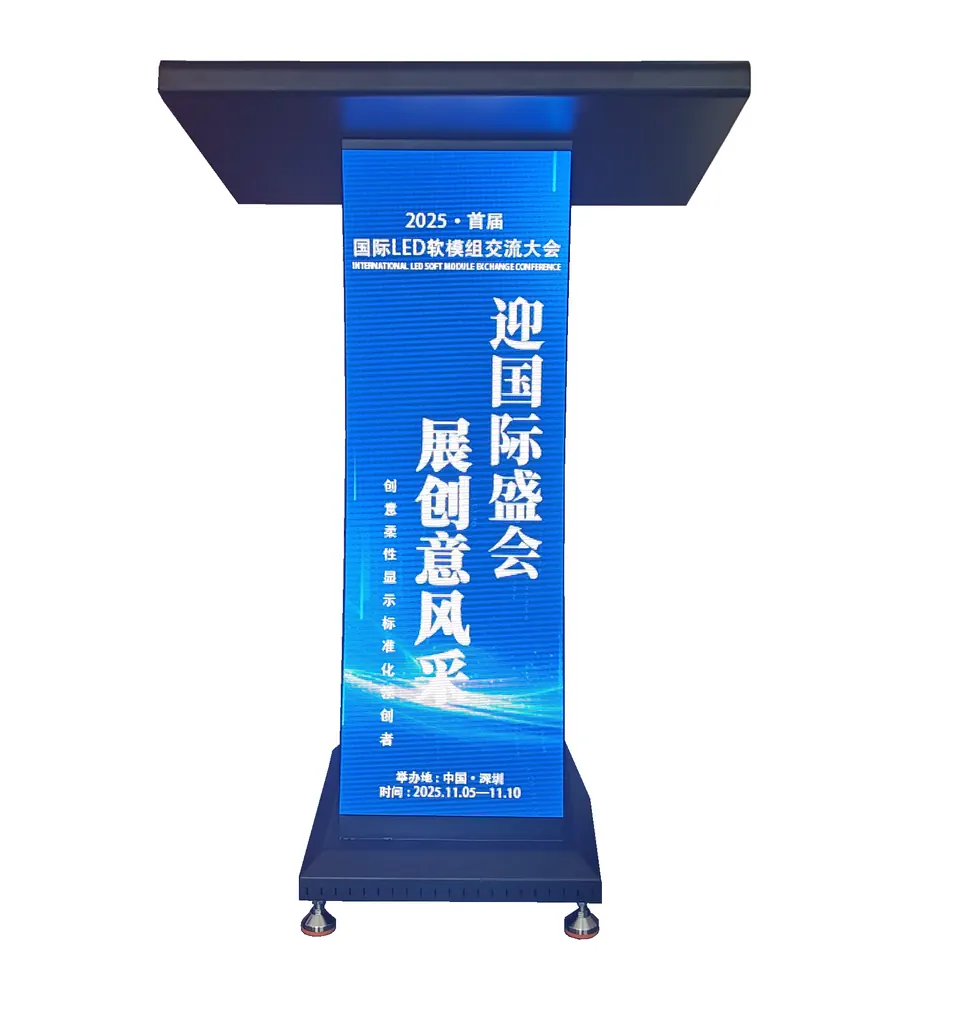
Choose the right type of LED podium
Audience-facing LED podium
Smart or digital lectern
A lectern that carries the event message
The podium is usually in every camera frame but seldom contributes to the visual story. An integrated LED face lets event teams update the speaker name, event identity or a short motion graphic without replacing physical branding between sessions.
Conferences
Keep the event identity visible as different speakers take the stage.
Press launches
Present a product mark or campaign visual in close-up camera shots.
Auditoriums and schools
Change podium content between talks, ceremonies and announcements.
Three P1.8 GOB display formats
The supplied specification lists three versions. All use the same nominal 1.8 mm pixel pitch and 320 × 160 × 5.2 mm module format; the visible display area changes with the podium build.
P1.8 GOB
Visible display area: 320 × 960 mm.
Module arrangement: 1 × 6 modules, horizontal orientation.
A slim vertical display for compact stage footprints.
P1.8 GOB Plus
Visible display area: 640 × 960 mm.
Module arrangement: 2 × 6 modules, horizontal orientation.
A wider face for stronger event branding and camera visibility.
P1.8 GOB Pro
Visible display area: 480 × 960 mm.
Module arrangement: 3 × 3 modules, vertical orientation.
A mid-width option with a different module arrangement.
See the podium from different angles
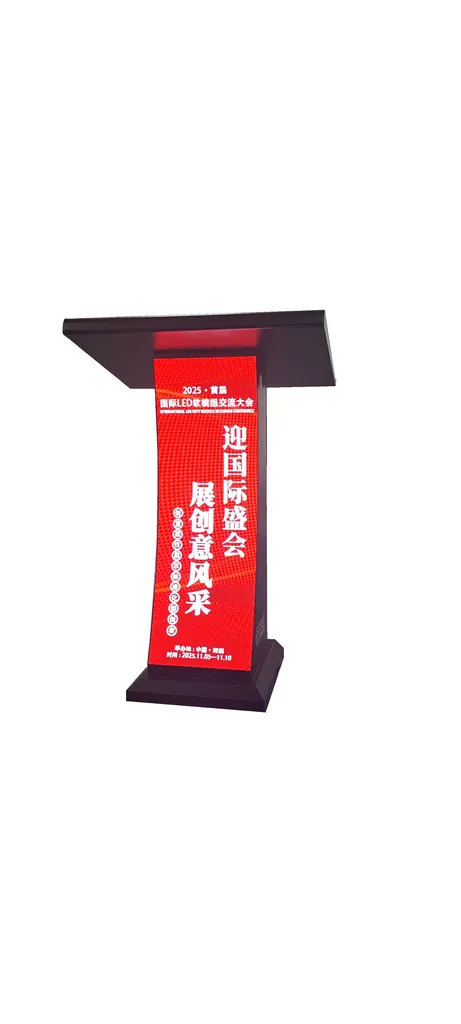
Angled view
Front view
Designed for presentation spaces
GOB-protected display face
The presentation describes GOB encapsulation for added protection against everyday contact and minor impacts. Confirm the final protective specification for the selected model.
Front maintenance
Front access and magnetic module installation are listed in the source material, supporting service where rear access is restricted.
Fine-pitch visual detail
The P1.8 format is intended for relatively close indoor viewing. Test the actual event artwork, especially small type, before approving the screen content.
Control-system choice
NovaStar or Mooncell control systems are listed. Select the final controller against the venue's source devices and operator workflow.
Common specifications listed for the series
These figures come from the supplied product sheet and should be reconfirmed against the final model datasheet before purchase.
Pixel pitch
1.8 mm (nominal)
LED package
SMD1212
Module size
320 × 160 × 5.2 mm
Brightness
500–650 cd/m² as listed
Refresh rate
3840 Hz as listed
Grayscale
12–16 bit as listed
Service and protection
Front service; IP43 listed for the front face
Power and input
Average power listed as 50–200 W; input 110–220 V
Plan the podium around the stage
Camera framing
Check how much of the LED face is visible in close-up and wide shots, and keep important words away from the podium edge.
Content playback
Decide whether the podium follows the main stage feed or receives its own playlist. Prepare a fallback visual for changeovers.
Stage integration
Confirm cable routes, presenter position, sightlines and safe access for front servicing before finalizing the floor plan.
Model confirmation
Request a model-specific drawing and verified electrical and display specifications for the exact podium version ordered.
Frequently asked questions
Can the LED face show slides and video?
The source describes PPT, video and data content. Confirm the chosen controller and signal workflow for the formats used at your venue.
Is the podium suitable for outdoor use?
The supplied sheet lists front-face IP43 but does not establish a complete outdoor rating. Treat this product as an indoor podium unless a specific outdoor configuration is approved.
Which of the three formats should we choose?
Compare stage footprint, camera framing and the amount of content you need to show. Request final drawings and sample content on the chosen display size.
Build the podium into your event plan
Send us your stage layout, event format, preferred display width and content source. We can help confirm the right podium version and control setup.
Contact Highcolor