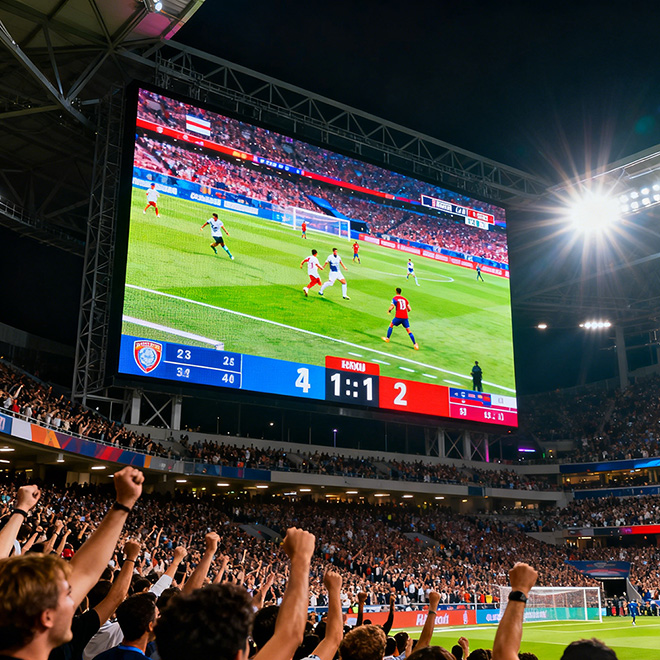
LED Display Brightness: The Complete Guide
From indoor signage to outdoor billboards, brightness is one of the most critical specifications for any LED display. This guide covers units, recommended levels, measurement, calibration, and the trade-offs between performance and longevity.
What LED Display Brightness Means: Units, Standards, and Perception
LED display brightness is the measure of luminous intensity emitted per unit area. It determines how visible the screen is under various lighting conditions.
The most common unit is nits (cd/m²), which directly indicates the brightness perceived by the human eye.
Lumens, on the other hand, measure total light output and are rarely used for displays.
A common misconception is that higher nits always mean better image quality.
In reality, perceived brightness also depends on ambient light, contrast ratio, and screen content. A display with 5,000 nits may appear dim in direct sunlight but blindingly bright in a dark room.
Therefore, brightness specifications should always be evaluated in context of the installation environment.
Industry standards such as ANSI/IT10.72 and SJ/T 11281 provide guidelines for measuring and reporting brightness.
When comparing product datasheets, look for: peak brightness (maximum), calibrated brightness (typical operational), and uniformity (variation across the screen).
| Unit | Definition | Use Case |
|---|---|---|
| Nits (cd/m²) | Luminous intensity per square meter | Standard for displays |
| Lumens | Total light output | Projectors, general lighting |
| Foot-Lambert (fL) | Imperial unit, 1 fL ≈ 3.426 nits | Older cinema standards |
To relate brightness numbers to real-world experience: a typical smartphone screen is 300–800 nits, a high-end TV reaches 1,000–2,000 nits, and outdoor LED billboards operate at 5,000–10,000+ nits to overcome sunlight.
Recommended Brightness Levels: Indoor, Outdoor, and Application Guidelines
Choosing the correct brightness depends on the installation environment and viewing distance.
The table below provides general recommendations based on ambient light conditions.
| Environment | Ambient Light Level | Recommended Brightness (nits) | Example Applications |
|---|---|---|---|
| Indoor – dark | < 100 lux | 300 – 800 | Museums, theaters |
| Indoor – bright | 100 – 500 lux | 800 – 1,500 | Retail, shopping malls |
| Semi-outdoor | 500 – 2,000 lux | 1,500 – 4,000 | Transport hubs, covered walkways |
| Outdoor – direct sun | > 2,000 lux | 5,000 – 10,000+ | Billboards, stadiums |
For viewing distance, a rough rule of thumb: the required brightness increases with distance because the human eye integrates light over a larger area.
A display viewed from 50 meters away may need 2–3 times the brightness of the same screen viewed from 10 meters to achieve similar perceived intensity.
Small status LEDs often appear extremely bright because they concentrate light into a narrow cone and are viewed at close range.
A 100-nit indicator can seem blinding in a dark room, while a 5,000-nit billboard appears normal from 100 meters away. This is why perception and application context are crucial.
Measuring and Calibrating LED Brightness: Instruments, Protocols, and Conversions
The primary instrument is a luminance meter (or spot photometer) that measures nits directly. For spectral analysis, a spectroradiometer provides color and brightness data. Distributed spectrometers are used for large-area uniformity measurement.
Step-by-Step Measurement Protocol
- Test pattern: Display a full-white field at 100% brightness, or use a 50% gray pattern for operational calibration.
- Measurement distance: Place the meter at a distance where the measurement spot covers at least 10% of the screen area, typically 1–2 meters.
- Angle: Align the meter perpendicular to the screen center. Off-axis readings will be lower.
- Ambient light: Perform measurements in a dark room (or controlled lighting) to avoid contamination. For outdoor, use a hood or measure during overcast conditions.
- Recording: Take 3–5 readings and average them. Record peak, average, and uniformity (minimum/maximum across zones).
For conversion: 1 nit = 1 cd/m². Lux measures illuminance (light falling on a surface) and cannot be directly converted to nits without knowing the reflectance of the surface. A common mistake is to equate lux and nits; they are different physical quantities.
LED displays do dim over time due to the gradual degradation of LED chips.
Typical lumen maintenance is 70% of initial brightness after 50,000 hours (roughly 5–7 years of 24/7 operation). Regular calibration (every 6–12 months) can compensate for this decay by adjusting driving current or gamma curves, extending usable life.
| Instrument | Measures | Accuracy | Ideal para |
|---|---|---|---|
| Luminance meter | nits (cd/m²) | ±5% | Quick spot checks |
| Spectroradiometer | nits + color spectrum | ±2% | Precise calibration |
| Distributed spectrometer | Uniformity map | ±3% | Large screens, quality control |
Performance Trade-offs: Power, Heat, Lifespan, PWM Dimming, and Auto-Brightness Controls
Brightness comes at a cost.
Every increase in brightness raises power consumption and heat generation. A typical outdoor LED display consuming 300–500 W/m² at 5,000 nits may exceed 800 W/m² at 10,000 nits.
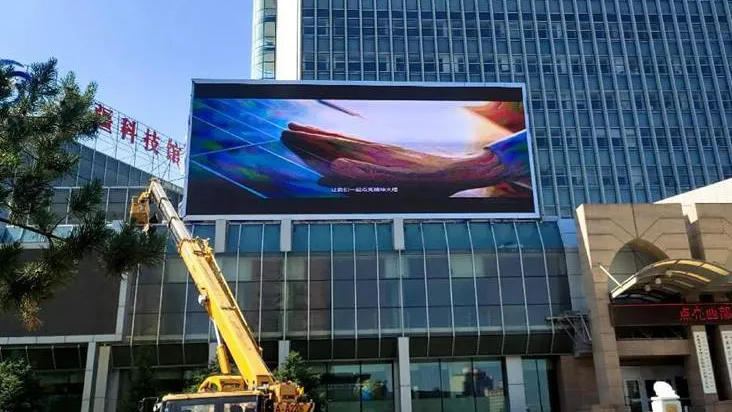
This directly impacts cooling requirements and electricity bills.
Heat and lifespan:
Higher operating temperatures accelerate LED degradation. The Arrhenius model suggests that every 10°C increase in junction temperature halves the LED’s lifespan.
Therefore, running a display at maximum brightness 24/7 can reduce its useful life from 100,000 hours to under 50,000 hours.
Burn-in:
Static content (logos, tickers) can cause non-uniform aging if brightness is unevenly distributed. Using pixel shifting or dynamic content reduces this risk.
PWM dimming:
Most LED displays use Pulse Width Modulation to control brightness. At low duty cycles, flicker can become visible (especially at 100–200 Hz), causing eye strain. Higher frequency PWM (≥1,000 Hz) minimizes flicker but may increase driver cost.
Auto-brightness sensors:
Ambient light sensors can dynamically adjust screen brightness to match environmental conditions.
Proper configuration includes setting a minimum threshold (for dark rooms), a maximum threshold (for daylight), and a smooth transition curve to avoid abrupt changes. This strategy can reduce power consumption by 30–50% while maintaining visibility.
Manual adjustment steps:
- Access the display’s menu or control software.
- Navigate to brightness/calibration settings.
- Set maximum brightness based on application (e.g., 80% of peak for typical operation).
- Enable auto-brightness if available.
- Verify settings under representative lighting conditions.
Eye safety and flicker standards:
IEC 62471 provides guidelines for photobiological safety. Stroboscopic flicker can cause discomfort; keeping PWM frequency above 500 Hz and minimizing modulation depth helps. For outdoor displays, glare and reflections should be mitigated with anti-glare coatings.
| Brightness Level (nits) | Typical Power (W/m²) | Estimated Lifespan (hours) | Thermal Load (BTU/h per m²) |
|---|---|---|---|
| 1,000 | 180 – 250 | 100,000 | 600 – 850 |
| 5,000 | 350 – 500 | 70,000 – 90,000 | 1,200 – 1,700 |
| 10,000 | 700 – 950 | 40,000 – 60,000 | 2,400 – 3,200 |
For procurement decisions, consider the total cost of ownership: a lower-brightness screen may require more units to achieve visibility, while a higher-brightness screen may have higher energy and replacement costs.
The optimal choice balances initial cost, operational expense, and expected lifespan.
Next Steps
To apply these insights to your project, download our Measurement and Calibration Checklist, use the online viewing-distance-to-nits calculator, or request a free on-site brightness assessment.
For custom recommendations, contact us with your display size, location, and typical ambient light conditions. We also offer instrument calibration services and compliance reporting for ANSI and IEC standards.
Preguntas frecuentes
Do LED displays dim over time?
Yes. LED chips degrade gradually, losing brightness (lumen maintenance) over time. Typical degradation is about 30% after 50,000 hours. Regular calibration can compensate for this loss, and operating at lower brightness extends lifespan.
What Is LED Screen Brightness?
It is the luminous intensity emitted per unit area, measured in nits (cd/m²). It determines visibility under ambient light and is a key specification for any LED display.
What is Brightness Nits, Lumens of LED Screens?
Nits measure the light emitted per square meter (cd/m²). Lumens measure total light output and are not typically used for displays. Brightness in nits directly relates to perceived brightness.
OMG why are status LEDs so bright?
Small status LEDs concentrate light into a narrow beam and are viewed at close range. A low-power (5–10 mW) LED can appear very bright in a dark room because the eye adapts to low light levels. This is a perception effect, not a high absolute brightness.
How do I measure LED brightness (nits) correctly?
Use a luminance meter or spectroradiometer. Display a full-white pattern, place the meter perpendicular to the screen at a distance covering at least 10% of the area, take multiple readings in a dark environment, and average them. Follow the detailed protocol in the measurement section.
How does brightness affect LED lifespan and burn-in?
Higher brightness increases junction temperature, accelerating LED degradation and reducing lifespan. Burn-in occurs when static content causes uneven aging. Using dynamic content and lowering brightness when possible mitigates these effects.
What brightness settings save the most energy without hurting visibility?
Enable auto-brightness with ambient light sensors. Set maximum brightness to just above the level needed for full sunlight (e.g., 80% of peak) and allow dimming to 30–40% indoors. This can reduce power consumption by 30–50% while maintaining acceptable visibility.
Entérate de nuestros últimos productos y novedades
Suscríbete a nuestro boletín para recibir información sobre nuevos lanzamientos de productos, análisis del sector y ofertas exclusivas diseñadas para socios de todo el mundo. ¡Mantente a la vanguardia con las novedades que importan para tu negocio!